
Soccer Camera Setup: Hands Free Tracking for Parents and Coaches

The most hands free way to guarantee single player highlights is an automated tracking camera like I-TRX, which follows one athlete using a wearable sensor instead of a human operator. A phone on a tripod, an action camera, or a dedicated camcorder all work too, but each trades some ease for more manual control. Your choice comes down to how much attention you want to spend watching a lens instead of the game.
Which recording approach fits your goals
Picking the right setup starts with being honest about how much time you want to spend behind a camera during the game. Parents who want to actually watch their kid play, rather than track them through a viewfinder, tend to gravitate toward automated options. Coaches building a season archive often need something sturdier and more hands on.
Automated player tracking: a sensor worn by the athlete keeps the camera locked on one player with minimal operator input, ideal for parents who want to watch the game instead of filming it.
Smartphone on a tripod: low cost and flexible, but someone has to hold focus on the action or accept a wider, less personal frame.
Action camera: rugged and wide angle, good for mounting near a goal or touchline, though zoom range is limited for tracking one player across the field.
Dedicated camcorder: the best image quality and optical zoom, at the cost of a heavier rig and more setup time.
If the goal is a recruiting reel built around one athlete, automated tracking removes the guesswork. If the goal is tactical review for a whole team, a wide shot from a camcorder or action camera often serves coaches better. For a simple full game archive, a smartphone on a tripod with a wide lens is the cheapest path that still gets the job done.
Where to put the camera for the best coverage
Camera placement matters more than most parents expect, and a few minutes of setup can save a game’s worth of frustrating footage. The 10 to 16 foot soccer camera height range is the sweet spot most setups should aim for, since it clears the heads of players and sideline spectators while still keeping the whole field in frame.
Set up at the halfway line whenever possible. A midfield position gives the widest, most balanced view of both attacking directions.
Elevate the camera 10 to 16 feet where it is safe and allowed, using a tall tripod, a stand, or bleacher seating.
Choose your sideline based on the sun. Keep the sun behind the camera rather than filming into it, since backlit footage turns players into silhouettes that no amount of editing fixes.
For tighter single player focus, move slightly closer to the sideline nearest your athlete’s usual position, with a gentle tracking angle instead of a full wide shot.
Add a second camera near the goal line if you have the gear, to capture close plays a midfield shot might miss.
Pro Tip: Tether or sandbag any tripod on turf or bleachers. A gust of wind knocking over a camera mid game is one of the most common ways parents lose footage entirely.
Stability matters as much as position. A cheap tripod with a loose head will drift during a long half, so a sturdy base and a quick stability check before kickoff are worth the extra minute.

Getting the camera settings right before kickoff
Soccer moves fast and changes direction constantly, so the wrong settings turn a sharp game into a blurry mess. According to BoxCast’s guidance on sports video, shooting at 60fps or higher gives you smooth slow motion replays, and 4K is worth using when you plan to crop or zoom in during editing.
Resolution and frame rate: shoot at least 1080p at 60fps, with 4K preferred if you want room to crop later; reserve 120fps for biomechanical or frame by frame speed analysis.
Shutter speed: keep it at 1/500s or faster to freeze fast moving players and the ball without motion blur.
Aperture and ISO: an aperture of f/2.8 or faster handles shifting light from clouds and shadows; raise ISO gradually and only as needed, since pushing it too high adds visible noise.
Autofocus and stabilization: continuous autofocus (sometimes labeled tracking or AF-C) keeps a moving player sharp, and in camera stabilization smooths out small tripod wobbles.
Audio: built in microphones rarely capture anything useful from the sideline, so audio is optional unless you are close enough to catch coaching calls or crowd reactions worth keeping.
These settings apply whether you are running a phone, an action camera, or a dedicated camcorder, and getting them right before kickoff saves a lot of disappointment during editing.
Setting up your recording workflow on game day
A smooth game day starts with a short checklist, not a scramble at kickoff. Charge batteries the night before, pack a spare memory card, and know roughly how much footage a full game at your chosen settings will produce so you are not caught out mid match.
Pre-game checklist: charged batteries, a spare card, and a quick check of available storage for a full game at your resolution and frame rate.
Recording modes: continuous recording captures the whole game, while buffered highlight modes save only the moments before and after a trigger, and delayed solo recording lets you capture one athlete’s drills without a live game.
Connectivity: phone pairing and Wi-Fi transfer let you pull clips without cables, though a wired transfer is a reliable backup when a connection drops.
Backup and redundancy: swapping cards at halftime or running a second camera protects you if one device fails.
Most setups, from a simple tripod to an automated system, can be ready quickly once you have run through the checklist a couple of times.
Capturing single-player highlights and coaching clips
Framing for one athlete is different from framing a whole game. You want to anticipate runs and transitions rather than just centering the ball, since the ball rarely tells you where your player is about to go.
Frame slightly ahead of your athlete’s likely movement, especially during transitions from defense to attack.
Use buffered highlight or instant save modes so a great run or shot is kept even if you react a second late.
When editing a recruiting reel, keep it concise and lead with goals and assists, then add strong defensive plays to show range.
For coaching clips, keep the same camera angle across sessions so set piece patterns and spacing are easy to compare week to week.
Pro Tip: Keep a running folder of your best 10 to 15 clips throughout the season instead of digging through full game footage later; trimming as you go makes the final highlight reel far faster to build.
For more on structuring solo training footage, our guide to filming solo soccer training walks through drill cues worth capturing between games.
What actually works on the sideline, season after season

The setups that survive a full season are the ones that ask the least of the person holding the camera. A tripod that needs constant reframing gets abandoned by game three, and footage quality drops the moment attention shifts to a sideline conversation or a younger sibling.
Battery life and wind are the two things that quietly ruin more footage than bad framing ever does. A charged spare battery and a sandbagged tripod leg solve most of it. Beyond that, the biggest improvement most families can make is choosing a method that does not depend on someone staying glued to the viewfinder throughout the game.
— John
I-TRX: the hands-free way to never miss a highlight
For parents who would rather watch the game than operate a camera, we built I-TRX around one job: tracking a single athlete automatically using a wearable sensor, regardless of where the ball or the rest of the team moves. Highlights save instantly to an iPhone with no monthly fees, and Ultra Highlight Pro buffers the action before a trigger so a great play is never missed because the save came a second late.
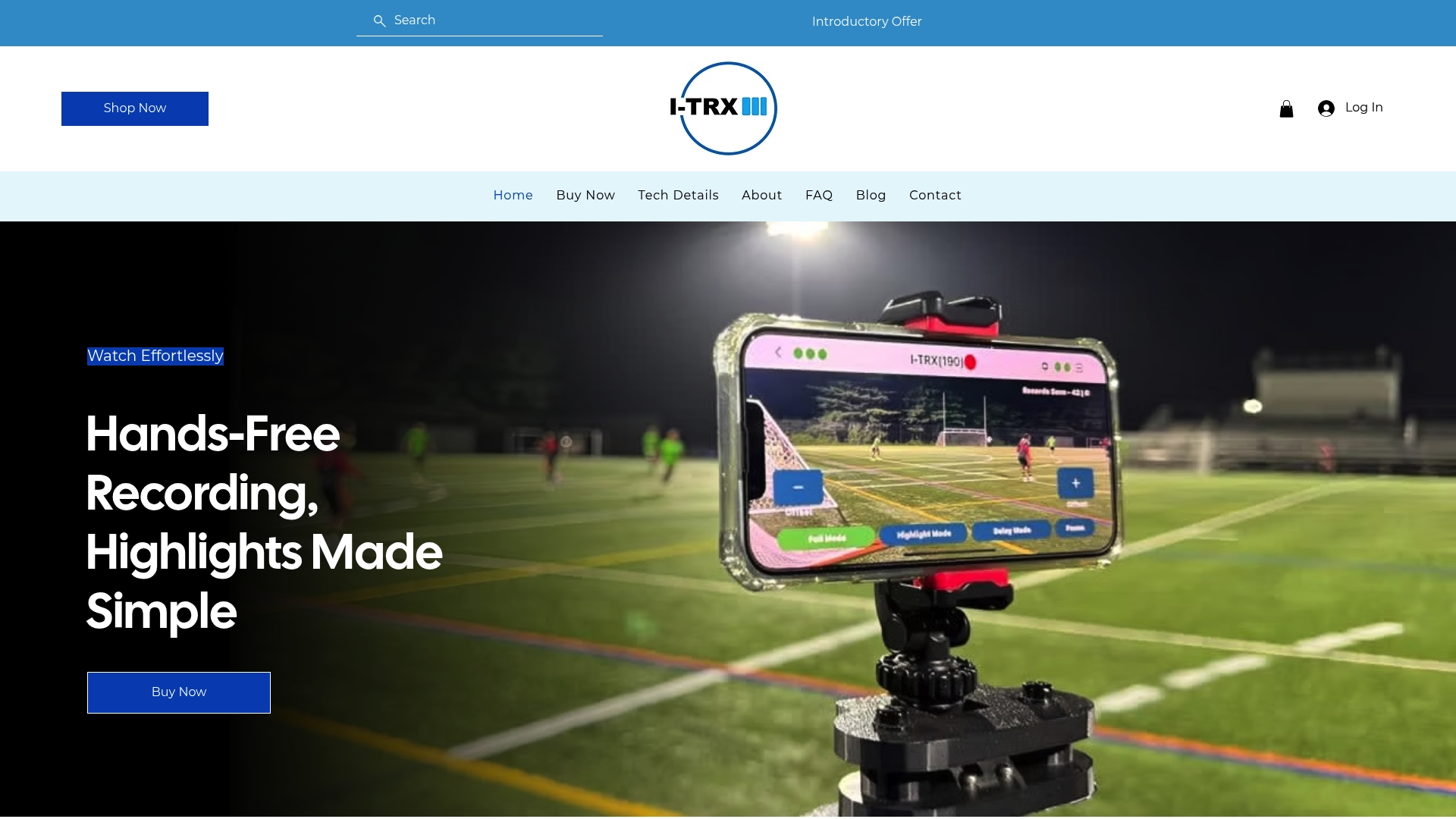
This fits busy parents juggling siblings and snacks, families building a recruiting reel, and coaches who need clean clips of one player without assigning someone to film all game. Check the Automated Player Tracking Camera pricing or browse full product details to see if it fits your sideline.
FAQ
What is the best camera for filming soccer?
For single player highlights, an automated tracking camera like I-TRX is the most hands free option since it follows one athlete without an operator. For full game coverage on a budget, a smartphone on a tripod or a dedicated camcorder with strong optical zoom both work well.
What is the best setting for a soccer game camera?
Shoot at 1080p or higher at 60fps, with 4K preferred if you plan to crop or zoom later. Use a shutter speed of at least 1/500s to freeze motion and an aperture of f/2.8 or faster for varied lighting.
What is the best tracking camera for soccer?
I-TRX uses a sensor worn by the player to automatically track and record that one athlete throughout the game, saving highlights instantly to an iPhone with no monthly fees. This differs from fixed wide-angle cameras, which capture the whole field but require manual editing to isolate one player’s moments.
How do I set up my sports camera?
Position the camera near the halfway line at 10 to 16 feet of elevation where possible, with the sun behind the lens rather than facing into it. Confirm your resolution, frame rate, and shutter speed settings before kickoff, then secure the tripod against wind before the game starts.
Comments