
Off-Ball Movement Video: What to Watch and How to Film It

The best off-ball movement video does two jobs. It shows a player moving into space, and it shows what that movement did to the defense. To learn from video, follow one player and ignore the ball. To film your own player, you need a camera that keeps that player in frame even when the play is happening somewhere else.
This guide covers both sides. First, what off-ball movement is in soccer and basketball and how to read it in clips. Then the drills that build it. Then how to review game footage so it turns into coaching, and how to capture your own child’s movement when most cameras follow the ball.
What off-ball movement is, in plain terms
Off-ball movement is everything a player does when they are not holding the ball: getting open, pulling a defender away, offering a passing angle, or arriving at the right spot a half-second early. It is also the part of the game that parents and highlight reels tend to miss, because the camera and the crowd follow the ball.
In soccer, one coaching guide describes it as a series of repeated decisions about timing, angle and distance. The same guide sorts movement into four groups:
Support: moving to give the ball carrier a pass.
Penetration: running into space behind or between defenders.
Checking: coming toward the ball to receive under pressure.
Recovery: getting back to restore the team’s defensive shape.
In basketball the vocabulary changes (V-cuts, backdoor cuts, screens, relocations), but the idea is identical. A player who moves with purpose changes where defenders stand, and that opens the floor for someone else.
How to watch an off-ball movement video
Most people watch the ball. A useful movement video asks you to do the opposite.
Pick one player and stay with them
One soccer training guide suggests watching a single player for a stretch of time while ignoring the ball. Count how often they scan, judge whether their runs are well timed, and look for decoy runs that pull defenders out of position. A video breakdown from a soccer coaching service makes the same point: watch the featured player, find the channels behind defenders, and notice how a defender stepping toward the ball opens space behind the line.
Judge the effect, not the distance
A cut does not have to be long to matter. A breakdown of one NBA wing showed him relocating only a few feet when a teammate drove. That small move improved the kick-out pass, let him set his feet, and made his defender cover more ground. When you watch a clip, ask what the defender had to do in response.
Use a simple note for each clip
For each action you want to study, write four things:
Where the player started.
What they did (cut, check, screen, relocate, hold).
How the defender reacted.
What it created for the team.
That last line is the one that counts. A good basketball film method asks coaches to review whether players read their defenders, maintain spacing and execute the action instead of judging only whether the final shot went in. A missed shot after a perfectly timed cut is still a good cut.
Remember that standing still can be right
Not every good off-ball play involves running. A well-timed hold keeps spacing, and constant motion can clog a passing lane. The test is always the same: did the action change the defense’s choices?
What good movement looks like in soccer clips
When you scan a soccer video, these are the cues worth pausing on:
Support angles. The same LevelUp guide says helpful supporting angles are typically 30 to 60 degrees rather than flat, so the passer has a clean line.
Shape around the ball. FIFA’s coaching session on this topic asks players to form diamond shapes around the ball carrier, use an open body shape, and keep moving after they pass.
Checks before the ball arrives. Does the player look over their shoulder to see defenders and space before receiving?
Changes of direction and pace. A diagonal run or a change of speed creates more separation than a straight, predictable sprint.
Runs that do not get the ball. The decoy run that drags a defender away is often the reason a teammate scores. It rarely appears in a highlight reel, and that is exactly why it is worth filming.
What good movement looks like in basketball clips
Basketball footage rewards a different set of cues. One youth coaching resource describes useful off-ball actions as staying active, using V-cuts, backdoor cuts and off-ball screens while keeping spacing and watching both the ball and teammates. Another video guide recommends setting up the defender before using a screen, running shoulder to shoulder with the screener, reading whether the defender cheats, and varying speed.

If you coach or run a gym program and want to organize the movements you teach into a reference your whole staff uses, this write-up on building a movement library shows one way to keep cues consistent from coach to coach.
Drills that turn the film into skill
Video only helps if practice follows it. A few drill ideas from the research:
Diamond passing circuit and possession games. FIFA’s session builds from a diamond passing circuit to a 6v4 possession game, then a 6v6-plus-6 game, then an 11v9 game, all to train support and off-ball movement. Shrink the numbers for younger players.
Small-sided basketball games. A youth hoops guide recommends 2-on-2 or 3-on-3 games, screen-and-cut drills, spacing exercises and a Cut & Replace drill.
A sensible progression. The same guide suggests starting younger players with V-cuts and backdoor cuts, then moving to off-ball screens, pin-downs and flare screens.
The loop that works is simple: film a game or practice, pick two or three clips that show one idea clearly, explain why the action worked or failed, then rehearse that idea in the next session. Keeping the clip count small matters more than most families expect.
The filming problem: most cameras follow the ball
Here is why this keyword is harder than it looks for parents. Off-ball movement happens away from the action, so a phone held by a parent, or a wide-angle camera set up at midfield, tends to catch the ball and lose the player. A parent who is busy filming also stops watching, cheering and talking to the other families on the sideline.
The fix is a camera that follows the athlete, not the play. A tracking system built around a wearable sensor does that by locking onto the person wearing it. Research on this approach exists too: a peer-reviewed paper in the journal Sensors describes a sensor-driven workflow that automatically builds personalized highlight clips from timestamps recorded by athlete-worn sensors, so nobody has to hunt through footage for one participant’s moments.

How I-TRX captures movement away from the ball
I-TRX is an automated tracking camera system for outdoor youth sports. The player wears a small sensor pack, and the camera tracks that one athlete with AI control, with auto-zoom for a tighter shot. Because it follows the person and not the ball, the footage keeps showing what the player does between touches: the check toward the ball, the run behind the line, the shift to open a lane.
A few things parents tell us matter in practice:
Single-player focus. The camera is designed to follow one athlete regardless of ball position or team movement, not to show a crowded wide-angle view of everyone.
Video saved to your iPhone. Highlights save instantly and share from the phone, without manual editing.
Ultra Highlight Pro. This mode buffers past play, so a moment is designed to be saved even if you reach for the button a few seconds late.
Recording modes. Full game or session recording, plus a delayed solo recording mode for training.
No monthly fees. It is a one-time purchase with app access included.
For setup details, our guides on soccer camera height and single player tracking and hands-free soccer camera setup walk through where to place the camera. If your player trains alone, filming solo soccer training covers the cues worth filming. The Tech Details page explains how the system works.
What to check when choosing a player-tracking camera
If you are comparing options, this is the checklist we would use as parents. It describes the types of systems on the market without naming any.
What to check | Why it matters for movement footage |
Tracks one player, not the ball | Off-ball runs stay in frame even when the play is elsewhere |
Wearable sensor or tag | Gives the camera something to lock onto when players bunch up |
Zoom control | A tighter shot shows footwork, body shape and scanning |
Saves to your phone | You can review and send clips the same day |
Past-play buffering | Catches the moment before you tap the button |
Pricing model | One-time cost versus ongoing monthly fees changes the real price over a few seasons |
Setup effort | The simpler it is, the more often you will actually film |
Outdoor field use | Match the system to the sport and venue your player uses |
On cost, I-TRX is $849 as a one-time purchase, with no monthly fees. That is the whole price for the camera and sensor system with app access.
Turning footage into something coaches and recruiters will watch
Once you have clean single-player footage, resist the urge to send the whole game. Pick the plays that show decision-making: a well-timed check, a run that opened space, a quick reposition after a pass. Keep each one short, and put the strongest first. Our highlight video checklist suggests starting with two or three plays, and the guide to 3 to 5 minute reels from youth sports video analysis shows how to assemble them. When the goal is recruiting, the 3 minute recruiting video format explains what coaches expect to see.
For tournaments, read what parents must get in writing before filming so you know the rules at each event.
Our perspective
Parents often tell us the same thing: they filmed the whole game and still missed the best thing their kid did. That is not a failure of attention. Most of what makes a young player good happens away from the ball, and a camera aimed at the ball, or a phone held at arm’s length, simply does not see it. We built I-TRX around the player, not the play. The sensor pack tells the camera who to follow, the AI keeps the shot locked on and zoomed in, and the video lands on your iPhone ready to share. We think that is the right way to capture movement: set it and forget it, then watch your child instead of a screen. The footage that gets a player noticed is rarely just the goal. It is the run that dragged two defenders away, the check that created the pass, the recovery nobody applauded. With a personal videographer that never loses your athlete, those moments finally make it into the reel. John
Get your player’s off-ball moments on video
If you want every run, check and reposition recorded without standing behind a camera, the I-TRX Automated Player Tracking Camera is a one-time $849 purchase with no monthly fees.
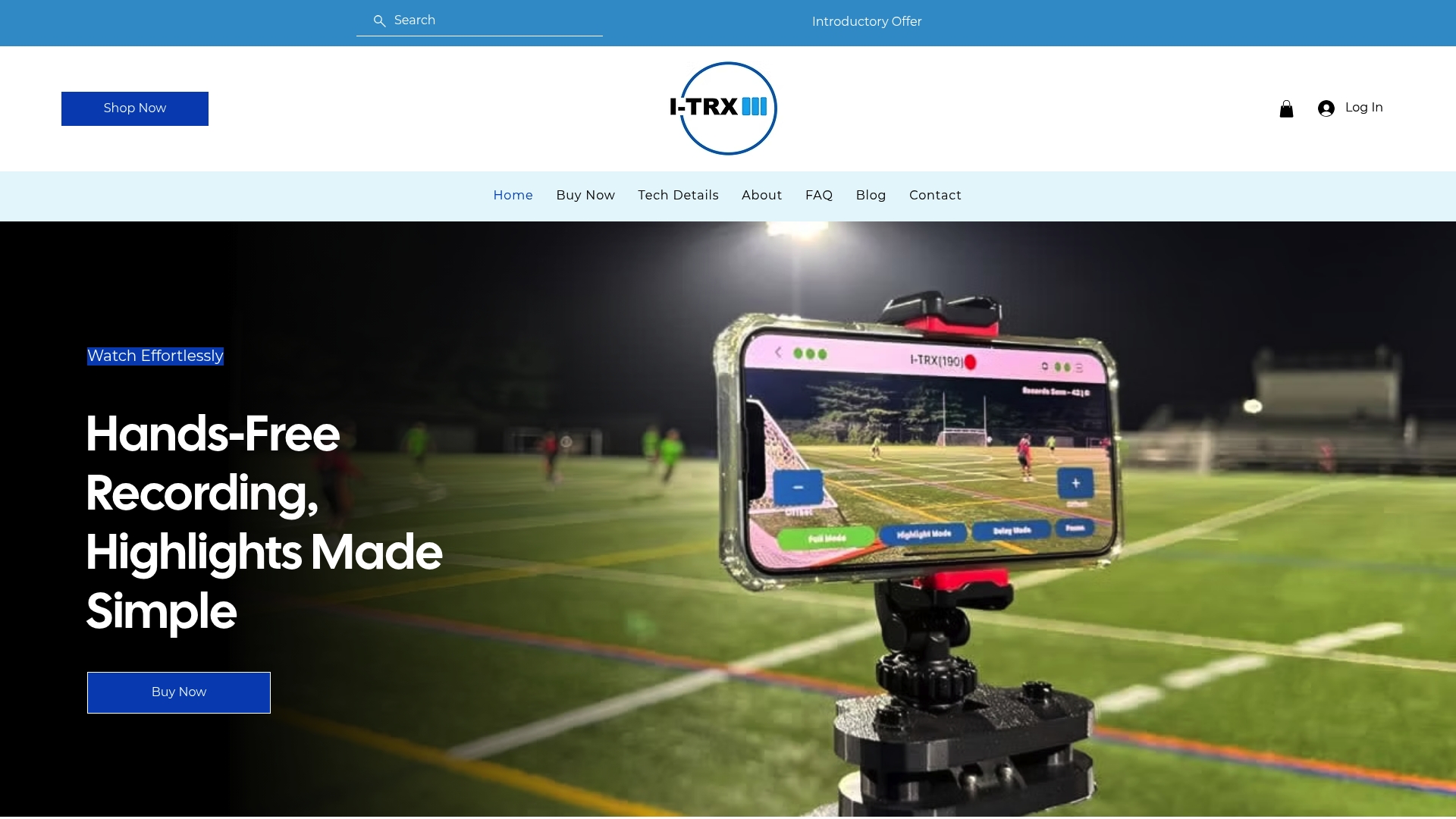
It includes the sensor pack, auto-zoom tracking, instant highlight saving and sharing to your iPhone. You can read more about how it works on the I-TRX home page.
FAQ
What should I look for in an off-ball movement video?
Follow one player and ignore the ball. Note where they start, what action they take, how the defender responds and what space or advantage it creates. Judge the quality of the movement separately from whether the shot or goal followed.
How can I film my child’s off-ball movement at a game?
Use a camera that tracks the athlete instead of the ball. A system with a wearable sensor, like I-TRX, is designed to keep one player in frame throughout play, so runs and repositioning away from the ball are recorded without you operating the camera.
How long should a movement highlight clip be?
Keep each clip short and focused on one idea, such as a check before receiving or a run behind the defense. Select a small number of clear examples, explain why each worked, then practice the same idea. For recruiting reels, aim for a few minutes in total.
Does I-TRX charge a monthly fee?
No. I-TRX is a one-time $849 purchase of the camera and sensor system, with app access bundled in and no ongoing subscription fees.
Sources
Movement Off the Ball: The Invisible Skill That Wins Games (LevelUp.soccer)
The 7 Rules of Off-the-Ball Movement (Anytime Soccer Training)
Breaking Down Jett Howard’s Off-Ball Movement (No Ceilings NBA)
Session 10: Support and off-the-ball movements (FIFA Training Centre)
How to Move without the Basketball (Breakthrough Basketball)
Proven Strategies to Master Off Ball Movement in Basketball (Coaching Youth Hoops)
Fully Automatic Camera for Personalized Highlight Generation (Sensors, MDPI)
Comments