
Camcorder vs. Sports Camera for Youth Games: How to Choose

For filming a youth game from the sideline, a camcorder is usually the better pick of the two, because its optical zoom can reach a player across the field. A sports (action) camera is better when it is mounted close to the action or left running as a wide, unattended shot. Both share one weakness: someone still has to operate them, or the footage ends up wide and distant. That is why many parents end up with a third option, a camera that follows one player on its own.
This guide compares the two on what matters at a real game: zoom, shaky hands, fast action, battery, heat, low light and effort. It also covers the questions people ask most, including whether camcorders are obsolete and whether either type takes photos.
The short answer: match the camera to where you stand
The right choice depends on one question: where will the camera be during the game?
You are standing or sitting on the sideline and want to film your child up close. A camcorder with a long optical zoom fits best.
The camera will be mounted on a fence, a pole or the player, or left alone for a wide view. A sports camera fits best.
You want to watch the game, not run a camera, and you want footage of one child. Neither fits well. A wearable-sensor tracking camera is built for this job.
The rest of this article explains why, so you can check the reasoning against your own sport and field.
What a camcorder does well
A camcorder is a camera built around video. The features that matter for sports follow from that.
Optical zoom. Consumer Reports advises that a straightforward HD camcorder suits sports video because its 30x optical lens is clearer than typical smartphone zoom, and its shape makes it easier to hold steady. Optical zoom moves real glass, so the picture stays sharp as you move from a full-field view to a single player. Digital zoom only crops the image. Digital Camera World explains that optical zoom preserves detail, while digital zoom reduces resolution, and it treats roughly 20x as essential for distant subjects.
Handling. Camcorders are shaped to be held. Digital Camera World notes that camcorders remain capable for sports with large built-in zooms and video-oriented ergonomics. A grip, a viewfinder or flip screen and a zoom rocker under your finger make it natural to follow a player along the touchline.
Longer sessions. Camcorders are designed to keep recording for a full game. That matters for a 90-minute soccer match or a doubleheader.
The tradeoffs are real too. A camcorder needs a person behind it for the whole game. A model with a big zoom is not tiny: Digital Camera World’s example with a 24x zoom weighs about 1.2 kg (roughly 2.6 lb) with its battery. After 60 minutes of holding it up, your arms will notice.

What a sports camera does well
Sports cameras, often called action cameras, are small, rugged and easy to mount. Consumer Reports describes them as rugged, simple and portable, and useful for unusual mounted angles.
That makes them good for:
A wide, fixed shot of the whole field or court from a fence or pole.
Footage from the player’s point of view, where the rules of the league allow it.
Rough weather and dusty fields, since they are built for abuse.
Quick, no-fuss setup: press record and walk away.
The same Consumer Reports piece lists the weak points: action cameras commonly struggle in low light, usually lack optical zoom, have limited controls and may lack an LCD screen. For a parent who wants a close-up of a goal, no optical zoom is the biggest of those. A fixed wide lens puts your child in a tiny corner of the frame when the play is at the far end.
Zoom versus wide: what actually ends up on the video
This is where the two types differ most for youth sports.
With a camcorder, you decide the framing in real time. You can show the whole play, then tighten on your child once the action settles. A state athletic association’s football video guidance says to keep all players on screen when the play starts and zoom in after it ends, and to follow the action on the field rather than the ball in the air. That is easy with a zoom lens and a steady operator. It is nearly impossible with a fixed wide lens.
With a sports camera, the frame is set before the whistle. Everyone is in view, which is useful for seeing formations and team shape. But a single player is small, and zooming in later means cropping, which costs resolution.
It helps to decide what the footage is for:
Seeing team shape and tactics: a wide, high view works.
Reviewing one player’s touches, form or decisions: you need a closer view that stays on that player.
A coaching video-analysis guide makes the same split: tactical analysis calls for a higher position and a wide view, while individual analysis calls for a lower position and a closer view. A recruiting reel or a skills review is individual analysis. If you want to go deeper on lens choice, our guide to zoom vs. wide angle for sports walks through the tradeoffs, and the quicker zoom or wide decision for parents covers consent considerations.
Fast action, stabilization and image quality
Youth sports are fast and unpredictable, so two details matter: how steady the picture is and how sharp it stays.
Stabilization. Sports cameras lean on strong electronic stabilization, which smooths out bumps and movement. Wirecutter’s testing notes that a current flagship model records 5.7K video at 60 frames per second with highly effective image stabilization. Camcorders typically use optical or hybrid stabilization, which works well for handheld zoom shots, where small hand movements are magnified by the lens.
Resolution. Both types can now record sharp 4K. Resolution is rarely the deciding factor. What matters more is how much of the frame your child fills. A 4K wide shot with your child as a small figure can look worse than a well-framed 1080p close-up. Our comparison of 4K vs. 1080p for sports video explains when the extra pixels help.
Frame rate. Higher frame rates make fast movement look smoother and give you cleaner slow motion. Check what each camera supports at the resolution you plan to use, since the top settings often cost battery and generate heat.

Battery, heat and low light
These are the problems that ruin a recording halfway through a game.
Heat. Small cameras generate heat in a small body. Wirecutter reports that action cameras may shut down in high-quality recording modes, depending on ambient temperature and airflow. A summer tournament with a camera in direct sun is exactly the scenario where that happens. Shade, lower settings and a spare battery help.
Battery. Higher resolution and frame rate drain batteries faster. Camcorders are generally better suited to long continuous sessions, so if you plan to film whole matches, check rated recording time and carry a spare for either type.
Low light. Evening games and late-fall practices are tough on small sensors. Consumer Reports flags low light as a common action camera weakness. Camcorders can do better with controlled framing and exposure, though neither type is a magic fix under weak field lights. If most of your games are at dusk, test the camera at that hour before you commit.
Setup and effort: who runs the camera?
This is the part of the camcorder-vs-sports-camera debate that parents often discover too late.
A camcorder asks for a person. For handheld filming, hold it with both hands and tuck in your elbows; for long-zoom shots, use a tripod or a small grip. That is good technique, and it also means you are watching the game through a screen. You cannot cheer, talk to the grandparents or react to a goal without moving the frame.
A sports camera asks for very little, but it also delivers very little individual detail. Set it on a fence and it records the field. Your child shows up as a dot.
So each type solves half of the problem:
Camcorder | Sports (action) camera | |
Zoom on one player | Optical zoom, sharp at distance | Fixed wide lens, digital crop only |
Needs an operator | Yes, for the whole game | No, if mounted wide |
Handheld comfort | Built for it | Small, awkward for long handheld use |
Rough weather and knocks | Needs care | Built for it |
Long recordings | Better suited | Heat and battery limits at high settings |
Low light | Often better | Commonly weaker |
Best use | Sideline close-ups | Wide, fixed or mounted views |
If your plan involves a tripod and an adult dedicated to filming, a camcorder works. If you want your hands free, see our practical soccer camera setup guide and the notes on camera height for single-player tracking.
Photos, and whether camcorders are obsolete
Two of the most common questions deserve a straight answer.
Can they take photos? Sports cameras can. Digital Camera World says action cameras can capture still photographs and are lightweight, compact and weather-sealed, which makes them handy where a larger camera could be damaged. Many camcorders can take stills as well, but the photo quality is rarely their strength, so check the specs of the model you are considering.
Are camcorders obsolete? Not for sports. Consumer Reports says traditional camcorders are still available but declining in popularity because alternatives are more portable and versatile. Fewer people buy them, but the optical zoom that makes them useful for sidelines has not gone away. Digital Camera World’s 2026 buying guide still covers them as capable tools for sports.
A third option: a camera that follows one player
If you read the comparison above and think “I want the zoom of a camcorder without standing behind it,” you are describing the problem I-TRX was built for.
I-TRX is an automated tracking camera system for outdoor youth sports. The player wears a small sensor pack, and the camera uses it, with AI control, to lock on to that one athlete and zoom in on them automatically. Video is recorded to an iPhone, where you can save highlights instantly and share them right away. Our Ultra Highlight Pro mode buffers past play, so a goal or a great save is not lost because you were a second late. There is no manual editing step and no monthly fee.
The system costs $849 as a one-time purchase, with app access included. You can read how it works on the tech details page, or see what the system includes and place an order.
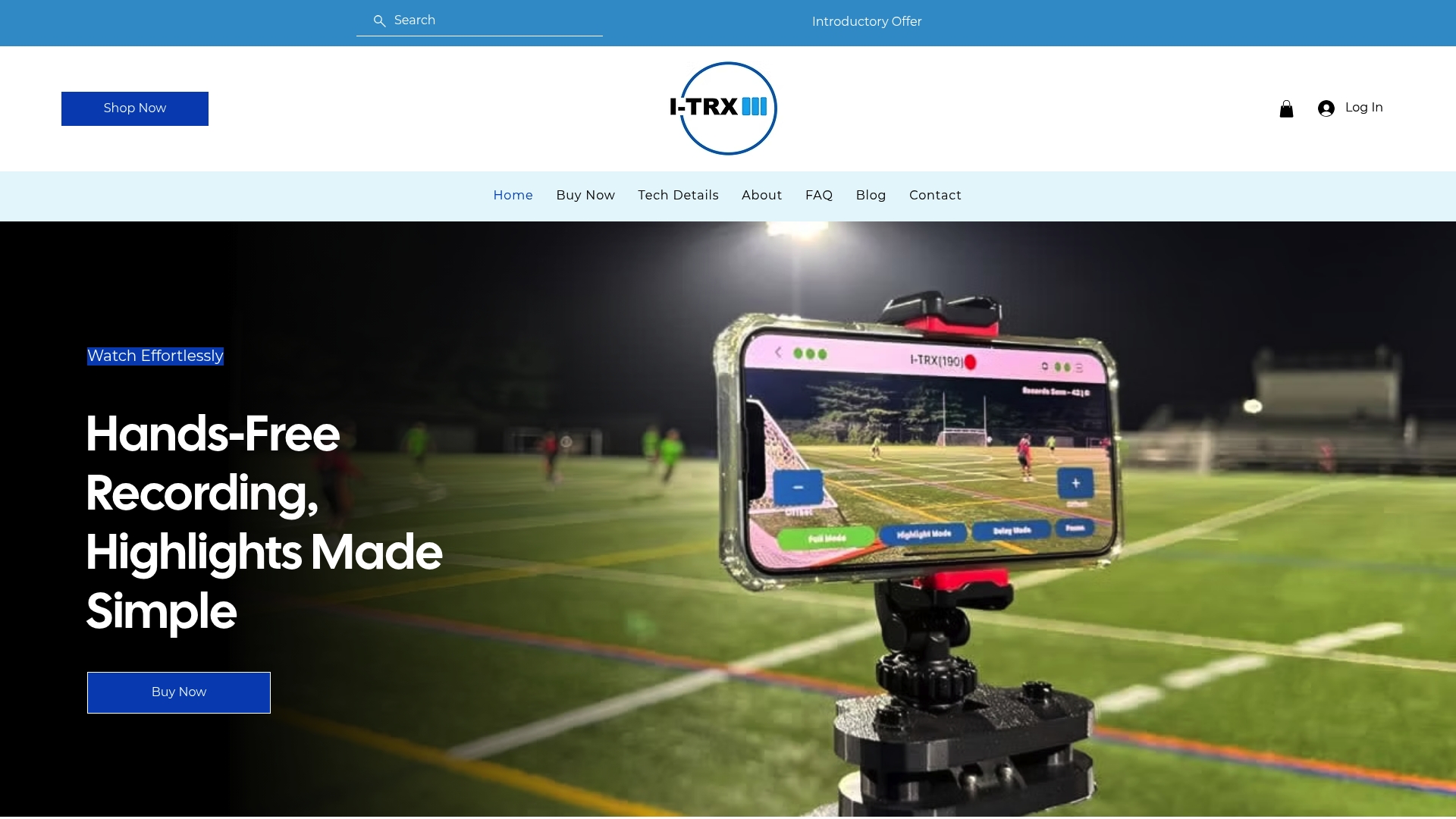
It records in full game or session mode, and a delayed solo recording mode is available for individual training. If you mostly film practice, our guide to filming solo soccer training shows how that works.
Our perspective
Most parents we talk to start by asking which camera to buy. The better question is who will be holding it. A camcorder gives you the zoom, but it also gives you a job. You spend the game framing shots instead of watching your child play. A sports camera frees your hands, but the footage from a fixed wide lens rarely shows your child’s face, footwork or decisions. We built I-TRX around a different idea: the camera should follow the player, not the ball or the crowd. Because it tracks a wearable sensor, it stays with one athlete wherever the play goes, and it works like a personal videographer you can set up and forget. You cheer, talk to the other parents and look at the field, not a screen. For young athletes, that also means highlight reels that actually show their play, which is what coaches and recruiters look for. We think that is a better match for youth sports than either a camcorder or a sports camera. John
Filming tips that work with any camera
Whichever camera you choose, a few habits make footage more useful.
Pick the purpose first. Highlight reel, skills review or full-game record each call for different framing.
Film from a sensible spot. For field sports, a position near midfield and slightly elevated gives a cleaner view than the end line. Our lacrosse filming angles guide shows the logic for a different sport, and pitching mechanics video covers a fixed-angle case.
Test before game day. Record five minutes at the field, at the time of day the game will be played, and watch it on a larger screen.
Carry spare power. Bring an extra battery or a power bank, and keep cameras out of direct sun.
Think about tournaments. If you plan to film at events, check with organizers first. Our piece on filming soccer tournaments lists what to get in writing.
Handle other families’ kids with care. Footage of minors is personal data. Before you post a game video, read a team data privacy guide and share clips with the players’ families rather than publicly.
FAQ
What is the difference between a camcorder and a sports camera?
A camcorder is built for handheld video, with an optical zoom lens, a screen and a grip. A sports camera is a small, rugged camera with a fixed wide lens, made to be mounted. For a youth game, that means a camcorder can close in on one player, while a sports camera records a wide view.
Which is better for youth soccer, a camcorder or an action camera?
For sideline filming where someone holds the camera, a camcorder is usually better because of its optical zoom. An action camera suits a fixed wide shot from a fence or pole. If you want one player followed automatically, a tracking camera such as I-TRX is designed for that.
Are camcorders obsolete?
No. Consumer Reports describes them as less popular than they once were, not gone. They are still sold and still useful for sports because of their optical zoom and handling.
Can a sports camera zoom in on my child?
Usually not optically. Most have a fixed wide lens, so zooming means cropping the image and losing resolution. If you need close-ups of one player, choose a camera with optical zoom or one that tracks and zooms on its own.
Sources
Comments