
Film Youth Sports in the U.S. Legally: 3 Methods Parents Can Use
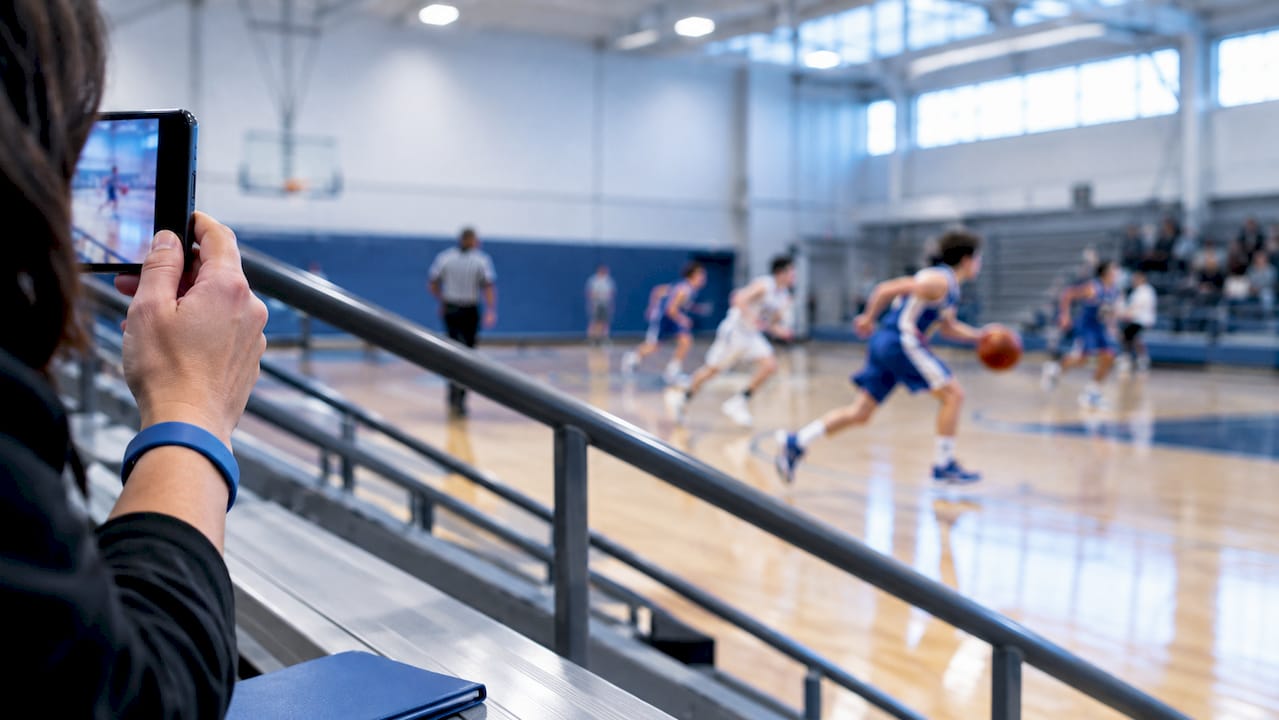
Yes, you can film youth sports games in the United States. Filming from spectator areas for personal, noncommercial use is typically allowed at public and private venues alike, but the details depend on the facility’s posted policy and whether footage of other players will ever be shared. Before you press record, check the venue’s camera rules and line up written parental consent for any child besides your own who might end up on screen.
TL;DR:
Checking venue policies is essential, as private facilities can restrict personal recording even though public parks typically do not.
Filming with a phone is cost-effective but may require a tripod and manual exposure adjustments to ensure quality during fast-paced sports.
Automated tracking systems simplify recording by following a single athlete, but they require upfront cost and specific consent from parents or coaches.
Proper camera placement tailored to each sport enhances footage quality, with sideline mid-field for soccer, elevated positions for football, and behind the backstop for baseball.
Always obtain written parental consent for footage shared publicly and avoid including other players’ identities without explicit permission to protect privacy.
Table of Contents
Is It Legal to Film Youth Sports Games in the U.S.?
There’s no federal law banning parents from filming their kids at a game. You won’t find a nationwide statute that says “no cameras at the ballpark.” What you will find is a patchwork of venue policies, league rules, and a handful of state laws that shape what’s actually allowed once you get past the general principle.
Private facilities can set their own terms, and this is where most parents run into friction. A youth sports complex, a private school gym, or a club-run field can restrict or condition filming through posted signage, membership agreements, or team handbooks, even though the same activity would be unrestricted in a public park. Always check the venue’s terms before you set up a tripod. Some venues cap camera height, ban commercial-looking rigs, or require a check-in at the front desk.
Youth sports safeguarding frameworks add another layer. The USGA’s photography and videography policy is a good example: it calls for documented consent and clear rules around who can photograph or record minors at sanctioned events. Most national governing bodies follow a similar pattern, treating written parental consent as the baseline whenever footage might be stored, shared with coaches, or posted publicly.
State legislatures are starting to weigh in, too. Language in New York’s S8666 bill would prohibit youth sports facilities from banning personal recording in spectator areas outright, while still allowing venues to impose safety-based restrictions, like keeping cords and tripods out of walkways. That balance, protecting personal recording while permitting narrow safety limits, is likely to show up in more states over the next few years.
Here’s the practical checklist before you film anything you plan to keep or share:
Confirm the venue or league has no posted restriction on personal recording.
Get written consent from a parent or guardian for any other minor who appears clearly in the footage.
Ask your league whether membership forms already cover media use, and don’t assume they do.
Note any state-specific rules if your facility operates near a legislative gray area.
Pro Tip: A generic waiver signed at team registration rarely covers public posting. If you plan to share highlight clips outside the family, get a separate, specific written consent that names exactly how the footage will be used.
Phone, Tripod, or Automated Tracking: Which Filming Method Fits You?
Three approaches cover almost every parent’s situation, and each comes with a real trade-off.
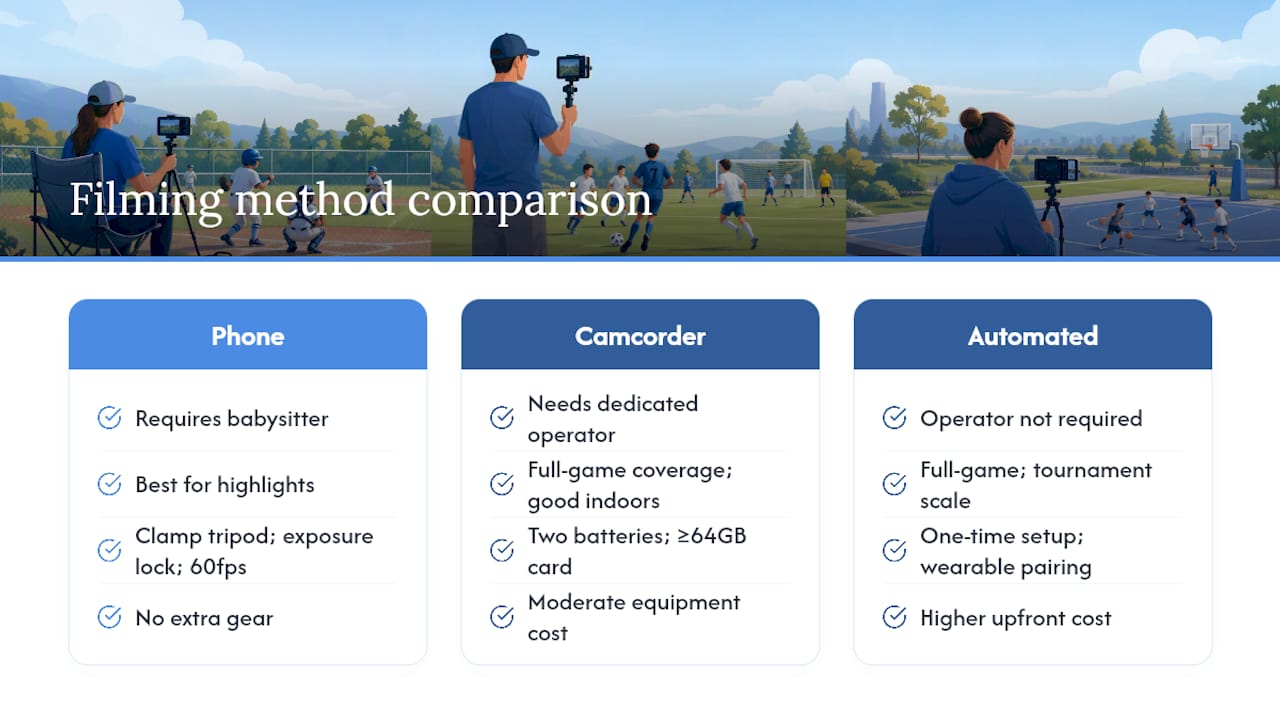
Phone-only filming costs nothing extra and travels in your pocket. It works best with a $15 to $25 clamp tripod, exposure locked manually so the auto-adjust doesn’t wash out faces against bright sky, and 60 frames per second if your child plays a fast sport like basketball or soccer. A phone-only filming guide built for youth sports parents found that steady placement matters more than expensive gear. The catch: someone has to actually hold the phone or babysit the tripod, which means missed innings while you’re at the concession stand.
Tripod-mounted camcorders step up stability and battery life for full-game coverage, especially indoors under gym lighting where phone sensors struggle. Bring two batteries, a 64GB card minimum, and check your storage before every session so you’re not deleting old clips mid-game. This method still requires a dedicated operator, whether that’s you, a grandparent, or a rotating parent volunteer.
Automated tracking systems solve the operator problem entirely. A wearable sensor on the athlete drives the camera, so you don’t need anyone glued to a viewfinder. Large tournaments like the Gothia Cup have already moved toward automated, AI-assisted cameras to cover dozens of fields consistently, and that same logic scales down to a single sideline. The trade-off is upfront cost and a short one-time setup, compared to a phone you already own.
Pick your method by asking three questions: Do you want full-game footage or just highlights? Who’s actually available to run the camera? And where will the footage live once it’s recorded?
How Do You Set Up the Camera for Each Sport?
Camera placement changes the whole quality of your footage, and each sport has its own sweet spot.
Soccer: Set up on the sideline at the midfield line, elevated if possible (a small platform or bleacher step helps). Frame wide enough to capture the full width of play, then crop later for individual highlight clips.
Football: USA Football’s filming guide recommends an elevated sideline or end zone position depending on whether you’re tracking formations or individual plays. Stay well clear of the sideline chalk and coaching staff, and use at least 3x optical zoom if you’re more than 30 yards from the action.
Baseball and softball: Position behind the backstop, slightly elevated, to capture pitching mechanics and batter contact in one frame. A second angle from the dugout side catches infield plays your main camera might miss.
Basketball: Center court, elevated in the stands if the gym allows it, gives you the full-court view needed to follow fast breaks. Lock your exposure manually since gym lighting shifts dramatically between the key and the baseline.
The routine that ties it together doesn’t change much by sport. Spend ten minutes before warmups checking your battery, clearing storage, and confirming your angle. Get a quick verbal heads-up to nearby parents that you’re filming, especially if your frame might catch their kids. During the game, resist chasing every play. Let the wide shot run and plan to clip highlights afterward rather than trying to zoom live for every touch.
Pro Tip: If you’re filming your own child specifically, don’t feel obligated to capture the whole game. A handful of clean, well-framed clips of their best moments beats two hours of shaky wide-angle footage nobody will ever watch in full.
What Should You Do With Footage After the Game?
Where the video ends up matters as much as how you captured it. Footage used strictly for coaching review, watched by the coach and the player’s own family, carries the least risk and generally needs no extra permission beyond a standard team media clause.
Public sharing is a different matter entirely. If you plan to post to social media, a team website, or a recruiting reel, get separate parental consent covering that specific use, not the generic form signed at registration. Safeguarding-focused reviews of youth sports recording consistently recommend keeping footage in private, access-controlled channels unless that explicit permission exists.
Practical storage rules that hold up over a season:
Keep raw footage in a private cloud folder or local drive, never a public link anyone can find.
Name folders by date and opponent so you’re not digging through hundreds of unlabeled clips in October.
Limit folder access to the team roster’s families, not the whole league.
Delete footage at season’s end unless a family has specifically consented to longer retention.
One detail that trips up a lot of parents: background music. Adding a popular song to a highlight reel before uploading it publicly can trigger a copyright claim or takedown, even on a clip you shot yourself. Stick to royalty-free tracks or silence if the video is headed anywhere public. For team photo distribution specifically, a service built around private team photo sharing keeps access limited to rostered families instead of the open internet.
How Should Your Club Set Filming Policy?
A one-page media policy handed out at registration prevents most of the awkward sideline conversations that happen when someone assumes filming isn’t allowed.
Your consent form should cover four things plainly: the purpose of recording (coaching review vs. public highlights), who the footage will be shared with, how long it’s kept, and how a parent can withdraw consent later. Keep the language short enough that people actually read it.
State clearly where cameras are and aren’t permitted (never locker rooms or private changing areas).
Post simple venue-notification signage at the entrance: “Personal recording permitted in spectator areas.”
Document any removal request in writing, including the reason given.
Make restrictions content-neutral. Rules about tripod placement or cord safety are fine; rules that single out specific families are not.
Policy Element | What It Should Specify |
Purpose of recording | Coaching review, personal keepsake, or public highlight reel |
Distribution limits | Team-only, private cloud, or public social media |
Retention period | Typically end of season unless extended consent given |
Withdrawal process | How a parent revokes consent and what happens to existing footage |
Clubs can restrict filming for genuine safety or interference reasons, like blocking a tripod from an exit path, but a blanket ban on personal recording is a harder position to defend, especially as more states adopt language similar to New York’s spectator-recording protections.
How Does Automated Tracking Handle Consent Differently?
Wearable sensor systems change the consent conversation because they narrow exactly who gets recorded. Instead of a wide-angle shot sweeping across dozens of kids, a single-player tracking camera follows one designated athlete, which makes it much easier to know whose consent you actually need.
That focus doesn’t remove your responsibility. You still need to notify the club that you’re using a tracking system, confirm consent for the specific player being tracked, and store the resulting clips in a private folder rather than a public feed.
Tell the coach or club before your first session so nobody’s surprised by a sensor pack or camera on the sideline.
Get consent specifically for the player being tracked, not a blanket team waiver.
Save highlight clips to a private folder or app account rather than an open shared drive.
Treat instant highlight saves the same as any other footage when it comes to season-end deletion rules.
Any specific product claims about accuracy, saving speed, or setup time are the manufacturer’s own statements, and you should still confirm venue rules and consent requirements independently before using any recording system, automated or otherwise.
When Should You Post Signage or Announce That You’re Filming?
Even where filming is fully legal, a quick heads-up avoids the tension of someone noticing a camera pointed their direction mid-game.
Simple signage at the venue entrance covers most situations: “Personal recording of this event is permitted in spectator areas.” Leagues can post this once per season rather than relitigating it at every game. For tournaments with multiple simultaneous games, signage at each field entrance is more useful than one notice at the parking lot.
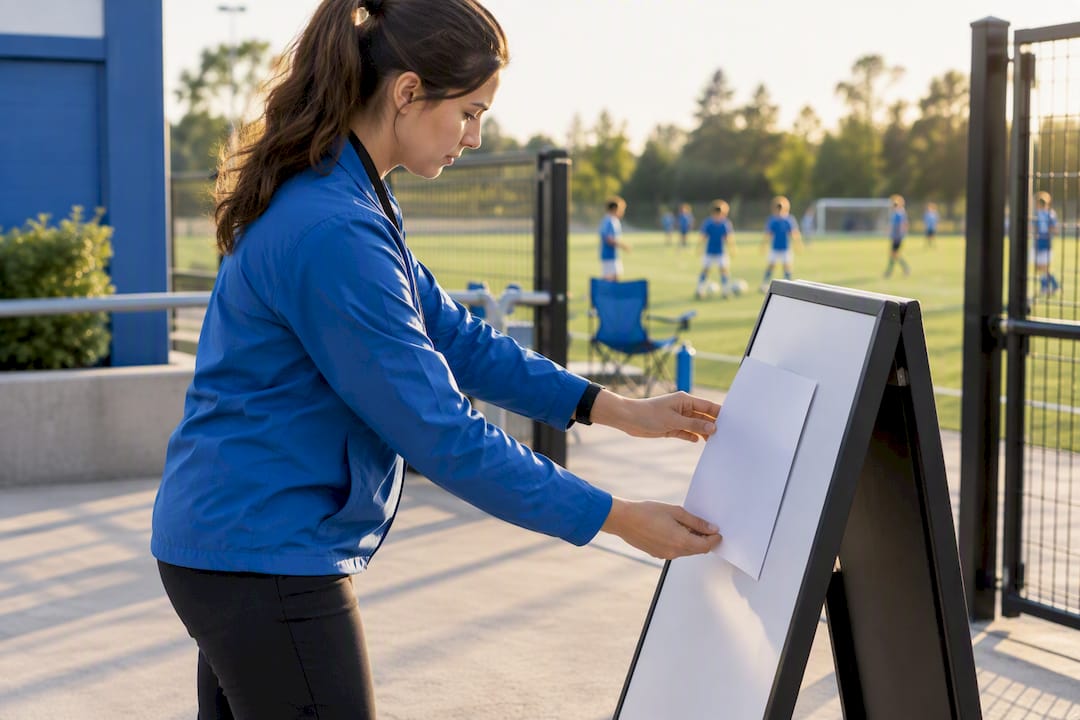
A verbal announcement before kickoff works just as well for smaller leagues without a budget for printed signs. A coach or team parent saying “just a heads-up, I’ll be filming from the sideline today” takes five seconds and heads off almost every awkward conversation. For tournaments or showcases where recruiters or scouts might also be filming, posted notice at the check-in table sets expectations for everyone at once, not just team families.
The goal isn’t legal cover so much as basic courtesy. Parents who know filming is happening rarely object to it. Parents who feel like they discovered a camera pointed at their kid without warning tend to react badly, even when the recording was completely within the rules. A visible, simple notice, whether a sign or a five-second announcement, solves that problem before it starts.
How Do You Edit Footage Without Compromising a Minor’s Privacy?
Editing is where good intentions can quietly go wrong. A highlight reel built to celebrate a kid’s season can just as easily expose other players’ faces, jersey numbers, or even school names without anyone meaning to.
Crop tight around your own child where possible, especially for anything headed to a public account. Wide-shot clips that clearly show other players’ faces should stay in private folders unless you’ve secured consent for those specific kids too. Avoid captions or tags that name other children, even casually, since that turns an anonymous background player into an identifiable one.
Strip identifying details before public posting: jersey numbers tied to a roster list, school names visible on a banner behind the play, or location tags that pinpoint a specific field a team uses weekly. None of this requires special software, just a habit of reviewing a clip once before uploading it anywhere outside the family.
If a clip is destined for a recruiting reel, treat that as its own consent category separate from casual highlight sharing. A resource like the junior golf recruiting video guide is a useful model for how recruiting footage gets framed and distributed with a specific purpose in mind, rather than posted loosely to a general audience.
Prioritize Player Welfare Over Publicity
Filming youth sports is almost always allowed. What separates a responsible parent from a liability is consent and privacy discipline, not camera skill. Use footage to help kids improve, not to chase views. Clubs that adopt a one-page media policy save everyone a season’s worth of sideline arguments.
— John
How I-TRX Takes the Camera Out of Your Hands
I-TRX is built for the parent who wants reliable highlight footage of their own kid without spending the game glued to a viewfinder. A small sensor worn by the athlete drives the camera automatically, tracking that one player regardless of where the ball goes, so you can actually watch the game instead of filming it.
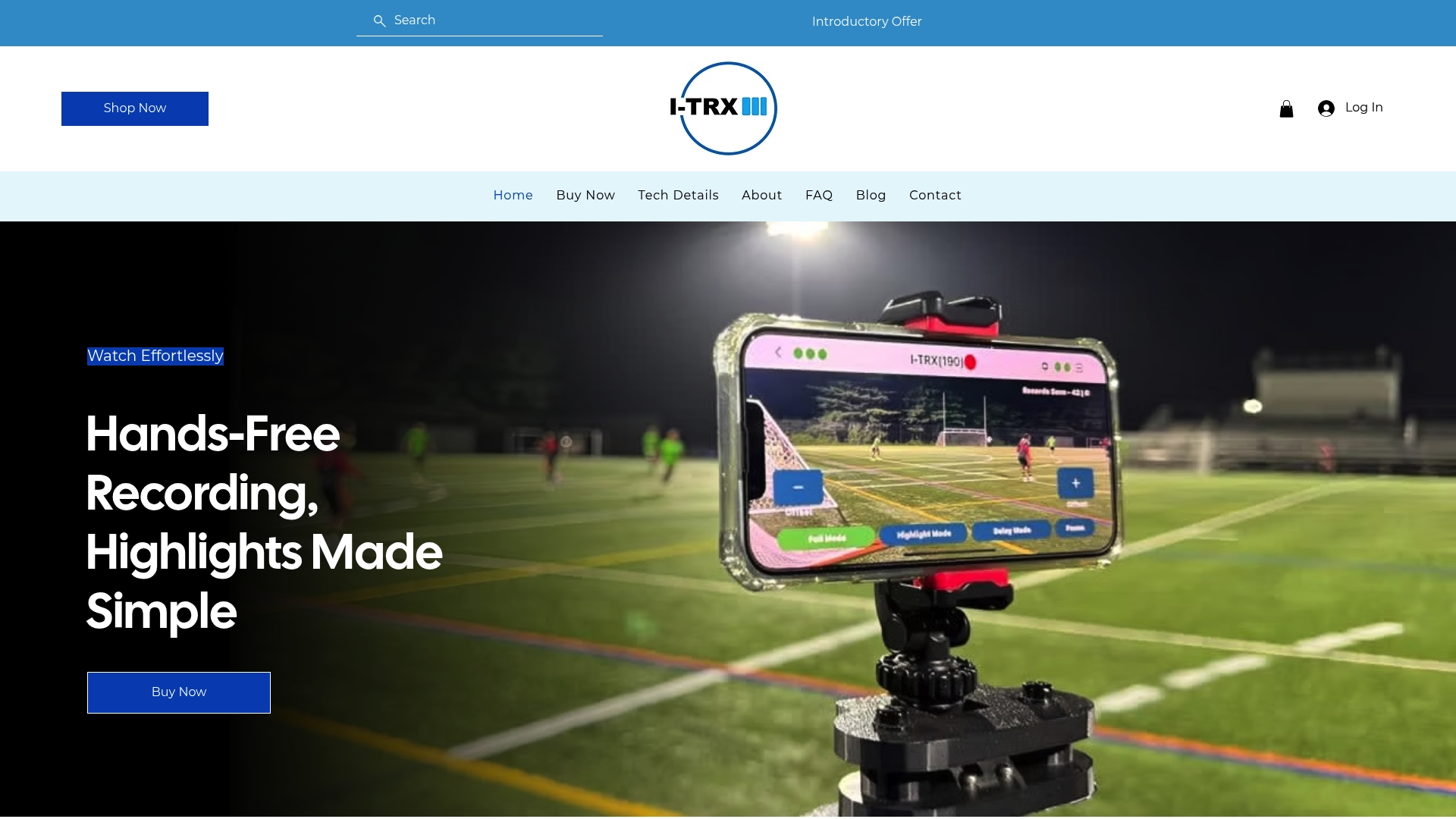
Clips save instantly to your phone with no manual editing and no monthly subscription fees, offering a simpler alternative to wide-angle team cameras and bulky multi-camera rigs common at showcase tournaments. Because the system tracks a single named athlete rather than sweeping the whole field, consent stays simple: you know exactly whose footage you’re capturing and where it’s going. If you’re ready to see whether it fits your team’s setup, check the Automated Player Tracking Camera page for current pricing, or browse the full product details before you decide.
Sources
FAQ
Is It Illegal to Record a Football Game?
No, recording a football game from spectator areas for personal use is generally legal in the United States. Some private facilities set their own posted restrictions, and safety-based limits like keeping equipment out of walkways are common, so check venue rules before you set up.
What Is the Best Way to Film Youth Football Games?
An elevated sideline or end zone position works best, using at least 3x zoom if you’re more than 30 yards from the field, according to USA Football’s filming guide. Stay clear of the sideline chalk and coaching areas throughout the game.
What Is the Best Way to Record a Youth Baseball or Softball Game?
Position behind the backstop, slightly elevated, to capture both pitching mechanics and batter contact in a single frame. A second camera near the dugout helps catch infield plays the main angle might miss.
How Do I Record My Kid’s Soccer Game?
Set up on the sideline at midfield, elevated if you can manage it, and frame wide enough to cover the full width of play before cropping for individual clips later. For a step-by-step walkthrough, see this guide on recording highlight videos at soccer games.
Can Parents Record Games Without Getting Everyone’s Consent First?
Parents can generally record their own child without separate consent for personal, private use. Written parental consent becomes necessary once footage might be shared publicly or stored where other identifiable players appear, per common safeguarding guidance from national sports federations.
Recommended
Comments