
Hands Free Highlights for Parents: GoPro vs AI Sports Camera with I-TRX

If your goal is unattended, single-player highlights, an AI sensor-based system is usually the better choice. If you need whole-field tactical footage or multiple angles, a full-field rig or multi-camera setup serves better. If you want low-cost POV shots or rugged mounting flexibility, a GoPro-style action camera still earns its place. Before buying anything, check subscription terms and footage ownership: some systems charge monthly fees to keep your clips.
AI Sports Cameras vs Traditional Action Cameras: A Side-by-Side Look
The core difference between these two camera categories comes down to one question: who or what decides where the lens points?
A traditional action camera records whatever is in front of it. A parent, coach, or volunteer has to aim it, follow the play, and hope the right moment lands in frame. An AI sports camera, by contrast, uses software or a wearable sensor to decide what matters and keeps the shot locked there, often without anyone touching the camera during the game.
That distinction shapes everything downstream, from setup time to the footage you end up with.
Framing and tracking: action cameras capture whatever direction they’re pointed, so a fast break or a sideline substitution can pull the shot away from your athlete; AI systems recognize or track a specific player and keep that athlete in frame regardless of where the ball goes.
Setup time: a GoPro or similar camera needs a human operator or a fixed mount aimed in advance, which works for static wide shots but struggles with movement; AI and sensor-based systems are typically set up once per game and then left alone.
Workflow after the game: action camera footage is raw video that still needs to be scrubbed, trimmed, and edited to find the good parts; many AI systems auto-generate highlight clips during or right after play, cutting editing time dramatically.
Data and subscriptions: action cameras store footage locally or in your own cloud account with no recurring cost beyond storage; several AI-powered platforms bundle advanced tracking or cloud processing into a monthly fee, which changes the real cost of ownership over a season.
None of this makes one category universally better. A coach filming full-team scrimmages for tactical review has different needs than a parent who just wants their child’s goals saved automatically. The right pick depends on whose highlight reel you’re actually building, and how much manual work you’re willing to do to get it.
When a GoPro or Traditional Action Camera Makes Sense
Action cameras remain a smart choice for specific jobs, and it’s worth being honest about where they shine.
POV footage is the obvious one. Strapping a camera to a player’s chest or a coach’s bike for a drill breakdown gives a perspective that no fixed camera or AI system reproduces. Sideline wide shots are another strength: mount one on a tripod at midfield, and you get a consistent view of team formation and spacing that’s genuinely useful for tactical review, even if it never zooms in on one athlete.
Multi-angle shoots are where action cameras pull ahead of most single-camera systems entirely. Mount three or four of them around a field or court and you can edit together a highlight reel with cuts between angles, something a single automated camera can’t match on its own.
On the technical side, modern action cameras tend to offer strong image stabilization, high frame rates suited to slow-motion replays, and mounts built to survive drops, water, and dust. These are genuinely rugged tools, built for being strapped to helmets, bikes, and boats, not just tripods on a sideline.
The trade-off is time. Raw footage from even a well-placed action camera still needs review and editing before it becomes a shareable highlight. A parent hoping to send grandma a clip of a game-winning shot has to scrub through an entire half to find it, then cut and export the moment themselves. For a coach building season film, that editing time is often worth it. For a parent trying to catch every highlight across a busy season, it adds up fast.
When an AI Sports Camera or Automated Tracking System Makes Sense
AI-driven systems earn their keep in one specific scenario: when you want hands-free, repeatable capture of the same athlete across many games, without a parent or volunteer stuck behind a lens.
There are a few different approaches on the market, and they’re worth telling apart before you buy:
Wearable-sensor tracking uses a small sensor worn by the athlete to tell the camera exactly where that player is, regardless of where the ball or the crowd goes. Camera-only AI tracking relies on computer vision to identify and follow a player or the ball without any wearable hardware, which can work well in low-traffic sports but sometimes loses the subject in crowded scrums or similar uniforms. PTZ robotic cameras (pan-tilt-zoom units, often mounted on a pole or tripod) use software to follow the general action, which suits full-game or full-field coverage better than single-player focus.

Each approach trades something for its convenience. Camera-only systems can misidentify a player wearing a similar jersey. PTZ robots are built for field coverage, not for guaranteeing one athlete stays centered. And any AI system that depends on a cloud connection or a subscription introduces a recurring cost and a dependency on that vendor staying in business.
That’s the honest trade-off list: subscription fees on some platforms, occasional tracking failures in crowded or chaotic plays, and coverage limits that depend on field size and lighting. None of these are dealbreakers on their own, but they’re worth weighing against the time an action camera and manual editing would otherwise cost you.
For families and coaches whose main goal is a clean, unattended highlight reel of one athlete, AI tracking, done right, removes the single biggest obstacle: having someone dedicated to filming instead of watching the game.
How I-TRX’s Wearable Sensor Puts Single-Player Tracking to Work
I-TRX takes the wearable-sensor approach described above and builds the entire system around one job: capturing one athlete, completely automatically.
Here’s the high-level mechanics. A small sensor pack worn by the player communicates with the camera, which tracks and records one individual athlete automatically no matter where the ball, the crowd, or the rest of the team happens to be. That matters because camera-only systems built for group play can lose track of a specific player in a scrum or a crowded box. Since I-TRX locks onto the sensor rather than trying to visually guess who the subject is, it holds focus through the kind of chaotic moments where coverage usually breaks down.
The practical benefit for parents is straightforward: no more standing on the sideline trying to hold a shaky shot steady while also watching the actual game. The system handles the framing and the zoom, which means parents get to actually watch their kid play instead of watching a screen.
Two features stand out in how the footage reaches families afterward. Highlights save instantly, so key moments are preserved as they happen rather than requiring someone to dig through a full game recording later. And clips share directly to mobile devices, which means a goal, a steal, or a strikeout can be in a group chat within minutes of it happening, not days later after someone finds time to edit.
For athletes building a reel for recruiting, that automatic, player-locked footage solves a real problem: a highlight tape is only as good as its consistency, and a system that never loses the subject produces a cleaner, more complete record across an entire season than a parent manually aiming a camera ever could.
Blog posts and user accounts describe this same pattern: less stress during the game, and a highlight reel that’s ready to share without anyone sitting down to edit it.

The Checklist Coaches and Parents Should Run Before Buying
Specs sheets can make every camera sound capable. Here’s what actually separates a camera that works from one that frustrates you by week three of the season.
Framing and tracking quality: does it follow one athlete specifically, or does it just capture a wide shot of the whole field?
Battery life and continuous recording limits: can it run a full game or practice without a mid-session charge or restart?
Storage and export options: does footage save locally, to the cloud, or both, and can you pull the original files whenever you want?
Video specs: check resolution and frame rate against how you plan to use the footage; slow-motion replays need higher frame rates than casual sharing does.
Stabilization performance: shaky footage undermines even a perfectly framed highlight, especially on handheld or wearable setups.
App features: look for highlight editing, one-tap sharing, and any buffering feature that saves the moments right before something exciting happens.
Subscription terms: know upfront whether tracking, cloud processing, or exports require an ongoing fee.
Mounting and weatherproofing: outdoor sports mean rain, dust, and drops, so check the camera’s rated durability before game day, not after.
Pro Tip: Ask every vendor one direct question before buying: “If I cancel or stop paying, do I keep my existing footage?” The answer tells you more about the product than any spec sheet.
Durability and connectivity deserve a closer look too. A camera that can’t handle an overcast, drizzly Saturday morning game isn’t built for youth sports, regardless of its image quality. And app integration, specifically Wi-Fi or Bluetooth syncing speed, determines whether you’re waiting around after the final whistle or already sharing a clip before the team leaves the field.
Costs, Subscriptions, and Footage Ownership: Questions to Ask Before You Buy
Price tags on cameras rarely tell the whole story. A camera that costs less upfront but charges monthly for tracking or cloud storage can cost more over a season than a pricier one-time purchase.
Subscription-based platforms typically bundle a few things into that monthly fee: cloud processing of footage, performance analytics, and team-wide sharing tools for coaches managing a full roster. Those features have real value for larger programs, but they’re worth weighing against a one-time purchase model if your only goal is a personal highlight reel.
Before committing to any system, ask the vendor directly:
Can I download the original, unprocessed video files, or only the edited highlight clips?
How long is my footage retained on your servers before it’s deleted?
What happens to my existing clips if I stop paying or my subscription lapses?
In practice, exportability is often the detail that makes or breaks a purchase. Vendors vary widely here: some let you keep every original file forever, others only hand over processed highlight clips while your subscription is active. If a program loses access to a season’s worth of practice film the day a subscription ends, that’s a real cost, even if it never shows up on an invoice.
Cost also scales with your setup. The number of cameras or sensor packs you need, whether you’re outfitting one athlete or a full team, and how much cloud storage your footage requires all factor into the real total, beyond whatever number appears on the box.
Sport-by-Sport Setups That Actually Capture the Right Moments
Field size and how players move around it change what setup makes sense.
For soccer, a wide field means a single static camera often misses fast transitions unless it’s mounted high and centered, or paired with player tracking that follows one athlete across the full pitch. I-TRX’s guide to recording youth soccer games covers practical mounting height and angle tips for exactly this problem.
Basketball, played on a smaller, contained court, suits either a fixed wide camera at half-court height or a tracking system locked onto one player, since the action rarely leaves a tight space.
Baseball rewards position-specific setups: a camera behind home plate captures pitching and batting, while a tracking sensor on a specific fielder or batter catches the moments a fixed camera would otherwise miss between plays.
Individual sports, like gymnastics, swimming, or track, generally favor a single well-placed camera since there’s only one athlete to follow in the first place, though automated zoom still helps when the athlete moves across a large space like a track or pool.
Recruiting reels benefit most from player-locked footage that stays consistent across games. Coaching film benefits more from full-field static shots that show team spacing and positioning. Most families land on a hybrid: one tracking setup for highlights, one wide static shot for the bigger picture.
The One Rule That Cuts Through Most Buying Decisions
If you remember nothing else from this comparison, remember this: match the camera to the footage you actually want, not the one with the longest feature list.
A parent chasing highlight clips doesn’t need a four-camera rig. A coach building tactical film doesn’t need a wearable sensor. Figure out your job first, then shop.
One more thing worth repeating: before you buy anything, confirm you can export your original footage and keep it if you ever stop paying for a service. That single detail determines whether your season’s worth of memories are actually yours.
— John
Get Automatic Single-Player Highlights With I-TRX
For parents and athletes who’ve decided their priority is hands-free, single-player highlight capture, I-TRX is built for exactly that job. The wearable sensor keeps the camera locked on one athlete for the entire game, so highlights save automatically and share straight to iPhone, with no monthly subscription required to keep what you record.
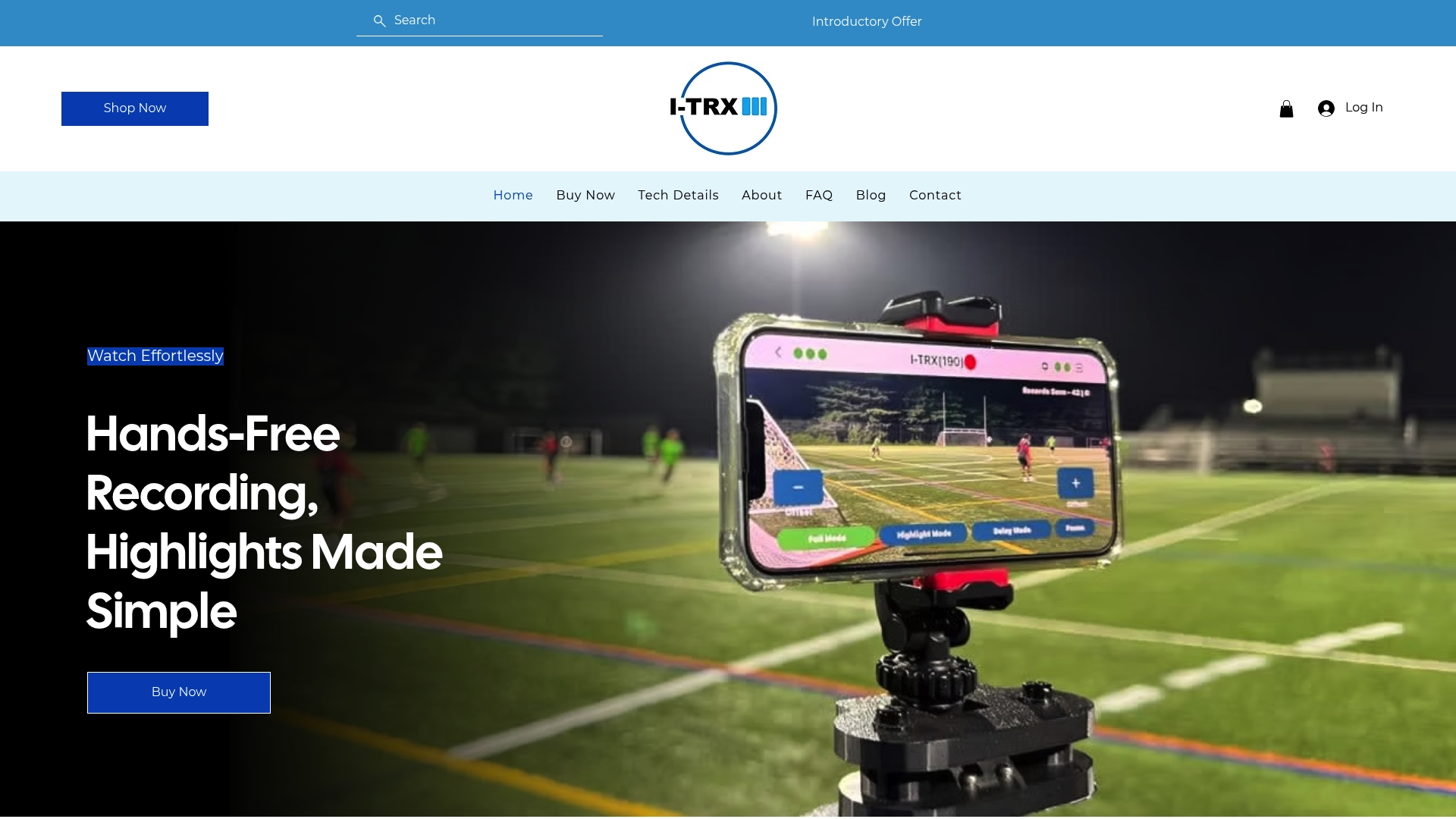
That one-time purchase model means the cost you see is the cost you pay, without a recurring fee standing between you and your own footage down the road. The Automated Player Tracking Camera has a one-time purchase price, and the product page breaks down the full feature set if you want the technical specifics before deciding.
If your family’s goal is simple, catch every highlight without anyone standing behind a camera, start with the pricing page and see if it fits your season.
Useful Resources for Further Reading
For broader context on how computer vision supports coaching and training, this overview of AI in sports training covers real-world applications beyond highlight capture. For a look at how measurement and tracking tools support athlete development more generally, see this roundup of training tech. For product specifics, I-TRX’s tech details page and list of top tracking cameras cover the hardware side directly.
FAQ
What is the best AI camera for sports?
The best option depends on whether you need single-player tracking or full-field coverage. For automatic, hands-free capture of one athlete across a season, a wearable-sensor system like I-TRX is built specifically for that job.
Is a GoPro good for filming sports?
Yes, a GoPro-style action camera works well for POV shots, static wide-angle sideline coverage, and multi-camera setups, thanks to strong stabilization and rugged mounting options. The trade-off is that someone has to aim it, and the raw footage still needs editing afterward to produce a usable highlight clip.
Is there any camera better than a GoPro?
“Better” depends on the job. For single-player highlight capture without manual filming, an AI sensor-based tracking camera typically outperforms a GoPro because it follows one athlete automatically, while a GoPro remains stronger for rugged POV footage and multi-angle shoots.
Is an AI camera better than a normal camera?
An AI-powered camera generally wins for unattended, repeatable tracking of a specific subject, since it removes the need for a human operator. A traditional camera still holds an edge for flexible mounting, rugged durability, and footage you fully control without any tracking software in the loop.
Comments