
Highlight Video Checklist: 2–3 Plays First, Tracking for U.S. Coaches

Build a 3 to 5 minute reel for coaches, with a shorter social cutdown on the side, and put your best 2 to 3 plays in the first 20 to 30 seconds. From there, work through four stages in order: shoot wide, select ruthlessly, edit with purpose, and deliver the way recruiters actually want to receive it.
Filming checklist: what to capture on game day
Good highlight reels start with footage that gives editors options. A single zoomed-in angle leaves you stuck if the best moment happens just outside the frame, so plan your shots before the first whistle.
Capture a wide or master shot for context, a medium shot for play flow, and tight close-ups for individual skill and celebrations.
Shoot in 1080p or 4K, and switch to 60fps when you want smooth slow motion on a key play.
Keep the camera stabilized, whether on a tripod or a gimbal, and lock in a consistent white balance so clips match when edited together.
Let the camera roll for 10 to 20 seconds around each play rather than cutting the moment the action starts, since that extra buffer gives you room to trim cleanly later.
Note jersey numbers, the quarter or period, and a one-line play description as you film or right after, so you are not guessing which clip is which later.
Consent matters as much as composition. Check your league’s media policy and confirm you have parental or team consent before filming or sharing any video, especially if other players appear in the frame. Many youth leagues have specific rules about this, and skipping that step can create problems well after the highlight reel is finished.
Pro Tip: Film in landscape orientation even if you plan to post vertical social clips. Cropping down from landscape is easy; stretching vertical footage to fill a widescreen frame never looks right.
Selecting clips: how to choose and order the best plays
Once you have raw footage, the real work is deciding what earns a spot in the final cut. Coaches and recruiters skim quickly, so every second needs to justify itself.
Prioritize plays that show the traits recruiters care about most: skill execution, decision-making under pressure, and athleticism in game speed situations.
Trim each clip down to the action itself, usually 1 to 6 seconds, and cut the walk-up or pre-snap buildup that adds nothing.
Open with your strongest 2 to 3 plays, then group the rest by skill or situation so the reel has a logical shape instead of a random sequence.
Avoid stacking several nearly identical plays back to back; one great tackle or one great assist makes the point, three make the viewer tune out.
Save context-heavy moments, like a game-winning goal or a clutch fourth-quarter stop, for the middle or end, where they land as a payoff rather than an opener.
Label every clip with the player’s name, play type, and timestamp before importing into your editor, since this single habit saves more editing time than any other step on this list.
Recruiting video guidance from recruiting specialists backs this up: athletes who get real traction combine a tightly edited reel with direct outreach to coaching staff, rather than posting a link and waiting for someone to find it.
Editing checklist: pacing, music, captions, and exports
Editing is where a pile of good clips either becomes a reel coaches actually watch or a video they close after ten seconds. A few technical choices make a disproportionate difference.
Runtime is the first decision. Coaches generally respond best to a 3 to 5 minute reel, and it helps to keep a second, shorter cutdown ready for platforms where attention spans are tighter. For social platforms, clips in the 30 to 90 second range tend to perform better and get discovered more easily than longer cuts.
Pacing should match the platform. Beat-synced cuts, where edits land on the rhythm of the music, make a montage feel professional instead of choppy. Beat-syncing best practices recommend cutting to the beat for social-style highlight reels, while coach-facing versions usually benefit from clearer audio and less aggressive music so the plays, not the soundtrack, stay the focus.
Use royalty-free or properly licensed music to avoid takedowns or claims on public platforms.
Normalize audio levels across clips so volume does not jump between cuts.
Export as MP4 using H.264 compression, at 1080p and 30 or 60 frames per second, and compress file size down when you plan to email a link rather than upload to a streaming platform.
Accessibility guidance notes that many viewers watch with sound off, which makes captions worth the extra few minutes. Caption benefits and guidance recommends keeping captions short, high contrast, and precisely timed to the spoken or on-screen beat, treating them as a reading track rather than an afterthought.
Delivery checklist: getting the reel in front of the right person
A great reel that never reaches the right inbox does nothing for a recruiting profile. Delivery deserves the same attention as filming and editing.
Use an unlisted YouTube link for coach-facing reels, a cloud-sharing link for large files, and a short social upload when the goal is general discovery rather than a direct pitch.
Name the file and link clearly, following a pattern like “LastName FirstName, Position, Grad Year, vs Opponent, Date” so coaches can find it again without digging.
Keep outreach messages short: a clear subject line, one or two sentences of context, the link, and a note pointing to specific plays with timestamps worth watching first.
Follow up a week or two after the first send if you have not heard back, and resend an updated reel whenever a new standout play gives you a reason to.
Expect simple trims to take a few hours, while a full coach-ready edit with music, captions, and multiple cutdowns typically takes one to three days depending on how much footage you are sorting through.
Our recruiting video format guide and link hygiene walkthrough go deeper on naming conventions and outreach templates if you want ready-made examples to copy.
How automated player tracking changes the checklist
Automated single-player tracking does not replace this checklist so much as it removes a few of the manual steps that eat the most time. Instead of someone operating a camera and chasing the ball, a wearable sensor keeps the lens locked on one athlete for the whole game.
Before kickoff, confirm the sensor pack is paired, the player is tagged correctly in the app, and the camera battery and placement are set so nothing gets missed in the first few minutes.
Because highlights save instantly, selection shifts from “which raw clips are usable” to “which of these already-clean clips tell the best story,” cutting down on manual trimming.
Keep labeling discipline even with automated clips. Jersey number, play type, and game context still matter once you start combining single-player footage with any wide or master shots you also captured.
Pair automated clips with a parallel wide-angle camera when you want situational context, since scouts sometimes ask to see a set piece or formation alongside the individual highlight.
Our post on individual player-focused recording and our breakdown of automated tracking for youth highlights walk through this workflow in more detail, including how parents integrate sensor footage with traditional sideline shots.
A few habits that separate good reels from forgettable ones

The biggest mistake I see is parents waiting until recruiting season to start sorting footage, which turns a weekend task into a frantic scramble through a season’s worth of unlabeled clips. Keep a running folder of “best plays” after every game, labeled while the details are still fresh, and future reels become a matter of editing rather than searching.
The second mistake is treating consent as optional. Check your league’s media policy and confirm permissions before filming or sharing, every season, every roster change.
— John
A faster path to the same checklist
Filming, tagging, and saving highlights eats more time than most parents expect, and that is exactly where an automated system changes the math. Our Automated Player Tracking Camera uses a wearable sensor to follow one athlete through the entire game, saving highlights straight to an iPhone the moment they happen, with no camera operator and no monthly subscription.
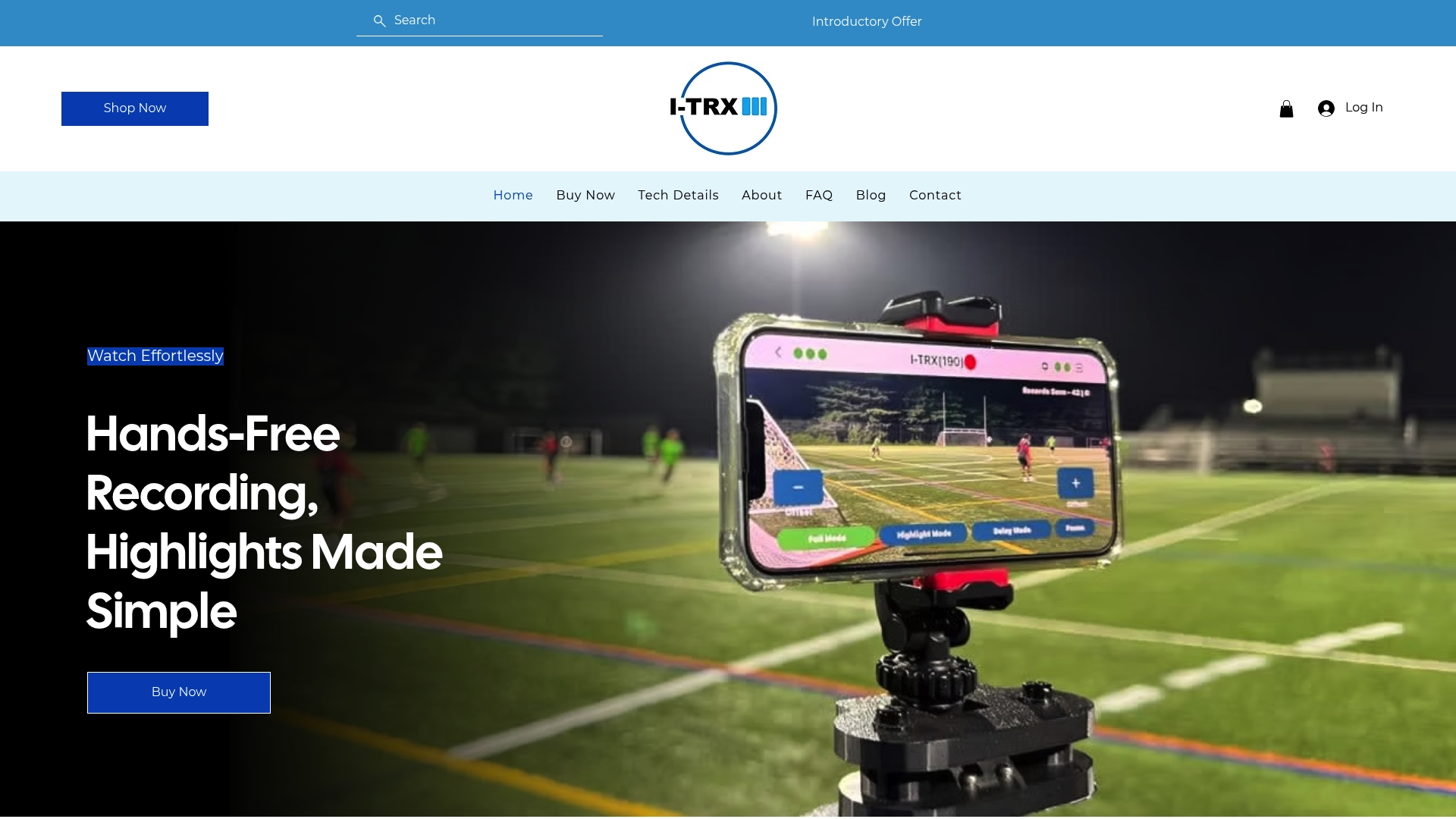
This approach shortens three of the five checklist stages: filming becomes hands-free, clip tagging can happen automatically by player, and instant saving means there is less backlog of raw footage to sort through before you can start editing.
Checklist stage | Traditional approach | With automated tracking |
Filming | Manual camera operator follows the ball | Sensor-based camera follows one player automatically |
Clip selection | Review full game footage for usable moments | Highlights save instantly, already isolated to the player |
Delivery prep | Manual trimming before export | Clips ready to label and send with minimal editing |
If a season of chasing footage with a phone or camcorder sounds familiar, our Automated Player Tracking Camera is built to take that part off your plate so you can watch the game instead of filming it.
FAQ
How do I put together a highlight video?
Start by filming a mix of wide, medium, and close-up shots, then select your strongest 1 to 6 second clips and trim out any buildup. Order the best 2 to 3 plays first, group the rest by skill, and export in 1080p with licensed music and short, precisely timed captions.
How much does a 2 minute video cost?
Cost depends entirely on whether you edit it yourself or hire someone, since there is no single standard rate for a 2 minute highlight video. A simple self-edited cutdown costs nothing beyond your time and any music licensing, while a professionally edited version varies based on the editor’s rate and the amount of raw footage involved.
What do I need for a music video?
A highlight reel built around music needs clean footage, a licensed or royalty-free track, and cuts timed to the beat for a professional feel. Beat-syncing best practices recommend aligning edits to the rhythm and double-checking music licensing before posting publicly to avoid takedowns.
What are some good topics for making a highlight video?
Strong highlight topics include a single-game breakdown, a season recap of top plays, or a recruiting reel built around one athlete’s key skills. For recruiting specifically, college recruiting video guidance recommends tailoring the topic and clip selection to the position and traits a coach is most likely to evaluate.
How long should a recruiting highlight video be?
Most coaches respond best to a reel between 3 and 5 minutes, with the strongest plays placed in the first 20 to 30 seconds. A shorter 30 to 90 second cutdown works well as a companion version for social platforms where viewers decide quickly whether to keep watching.
Sources
Comments