
Auto Zoom Speed: How Fast Should a Sports Camera Zoom?

The best auto zoom speed for youth sports is one you barely notice: the camera tightens on your athlete when play is calm, eases back when the action speeds up, and never lurches. That balance is what an automatic tracking camera is built to deliver, and it is why the I-TRX system pairs a wearable sensor with auto-zoom, so the camera follows one athlete and you can watch the game instead of working a zoom ring.
If you landed here from a search about auto zoom speed or auto zoom settings, you may have seen results about map apps zooming as a car speeds up. This article is about something different: the camera zoom that follows a player on a field or court, what its speed does to your footage, and how to set yourself up for smooth, shareable highlights.
What auto zoom does in a sports camera
Automatic zoom changes how tight the frame is without anyone touching the lens. In a tracking camera, the system decides how much of the field to show based on where the athlete is and how fast things are moving. Zoomed in, your child fills the frame and you can see footwork, expressions and technique. Zoomed out, you see the space around them: teammates, defenders, the ball.
Two things define how it feels to watch:
Zoom level: how tight the shot is at any given moment.
Zoom speed: how quickly the camera moves from one level to another.
Get the level wrong and your athlete is too small to recognize or too large to understand the play. Get the speed wrong and the video feels seasick, even when the level is right.
Why zoom speed matters more than zoom level
A shot that is a little too wide still works as a highlight. A shot that pumps in and out every few seconds does not. Viewers, whether grandparents, coaches or recruiters, tolerate a slightly loose frame far better than a frame that keeps changing size.
Research on automatic zooming for sports broadcasts points the same way. A 2010 academic paper on automatic video zooming for team sports describes a balance: the view can zoom closer when the ball’s movement is small, but when the ball moves fast it uses a smaller zoom so the frame can follow the action more easily. The same paper adds smoothing to reduce jumping framing and zoom and de-zoom effects, and notes that after a sudden shot the system may take several frames to settle on a new view.
Translate that to a youth game:
Fast action calls for a wider, steadier frame. A breakaway, a long pass or a quick transition is exactly when a tight shot is hardest to keep on target.
Calm moments allow a closer shot. A player setting up a free kick, dribbling in space or waiting for a pitch can be framed tighter.
Changes should be gradual. A slow, smoothed move between levels reads as professional. A sudden snap reads as a mistake.
What too fast and too slow look like
You can diagnose most auto zoom problems by watching the footage, no technical background needed.
What you see | Likely cause | What it does to the video |
Frame pulses in and out every few seconds | Zoom reacting to every small change | Distracting, hard to watch for more than a minute |
Athlete leaves the edge of the frame during a sprint | Zoom too tight, or too slow to widen | Misses the key moment |
Athlete looks tiny for most of the game | Zoom too wide or too slow to tighten | Hard to see technique or identify the player |
Sudden jump when the ball is kicked or hit | Abrupt change after a fast event | Looks jerky and cuts the highlight short |
The same smoothing idea applies whatever the sport. The 2010 paper also says higher frame rates need zoom parameters to change more slowly between frames, which is one more reason a camera’s zoom movement and its video settings work together. If you film indoors, our guide to sports video frame rate settings for U.S. gyms covers that side.
How zoom speed changes by sport
The right feel depends on how the game moves.
Soccer and lacrosse
Long, sudden changes of direction are the norm. A good zoom keeps a wider frame during transitions and tightens when your athlete has the ball under control. If you are choosing where to stand or set up, the soccer camera setup guide and our lacrosse filming angles article walk through it.

Baseball and softball
Action comes in short bursts with long pauses. A tighter frame during the pause is fine, but the camera needs room when a ball is put in play. Height and distance matter as much as zoom here, and baseball camera height explains where to set up.
Basketball and other fast, crowded games
Play changes direction constantly, and context matters. Highlights and coaching moments often depend on spacing and off-ball movement, which is why we wrote about off-ball movement video. A frame that is too tight erases what a coach needs to see.
Why manual zooming rarely works for a parent
Holding a phone or camcorder and zooming yourself means making the zoom decision every few seconds while also watching the game. Most parents react late: they zoom in after the moment has begun and zoom out after the athlete has left the frame. Add a cheering section, a sibling who needs a snack and a sun glare, and the footage suffers.

A fixed wide camera avoids the zoom problem but creates another: the whole field is in view, and your child is a small figure among many. We cover that trade-off in zoom versus wide for sports and in a quicker decision guide, zoom or wide for game videos.
If you do film by hand, a few habits help. Pan smoothly and stay slightly ahead of the action instead of whipping the camera around. Keep the shot a bit wider than feels necessary, and when you lose the ball or the player, widen slightly and re-center rather than chasing. A practical walkthrough of ball-following technique, written for soccer players putting together highlight videos, is available in this guide to making soccer highlight videos.
What a good automatic zoom should give you
When you judge any auto-zoom camera, use these criteria:
Locks on one athlete. The zoom is only as good as the tracking behind it. If the camera follows the ball or the crowd, zoom will keep re-targeting.
Smooth transitions. No snapping between levels, no pulsing.
A frame that suits the moment. Closer in calm play, wider in fast play.
No hands needed. The point is to remove the constant decisions.
Footage that is easy to get and share. A great shot you cannot find after the game is a missed opportunity.
Our own comparison of options for families is in top automatic sports tracking cameras for youth sports, and camcorder vs. sports camera helps if you are still deciding what type of camera you need.
Getting your setup right before the game
Whatever camera you use, a short routine before the first whistle prevents most disappointment.
Charge everything. Camera, sensor pack and phone, the night before.
Pick a position with a clear view. Stable ground, a little elevation if you can, and away from where people will walk in front.
Do a short warm-up check. Have your athlete jog, sprint and stop for a minute or two while you watch the live view. You are looking for smooth zoom changes and an athlete who stays in the frame.
Confirm the athlete is wearing the sensor properly. Tracking depends on it staying in place.
Pick the recording mode that fits the day. The I-TRX system offers full game or session recording and a delayed solo recording mode.
Then sit back. The point of automatic tracking is that you can stop fiddling and cheer.
After the game, watch the first few minutes of the video before you share it. If the framing is where you want it, you are set for the season.
How I-TRX handles zoom
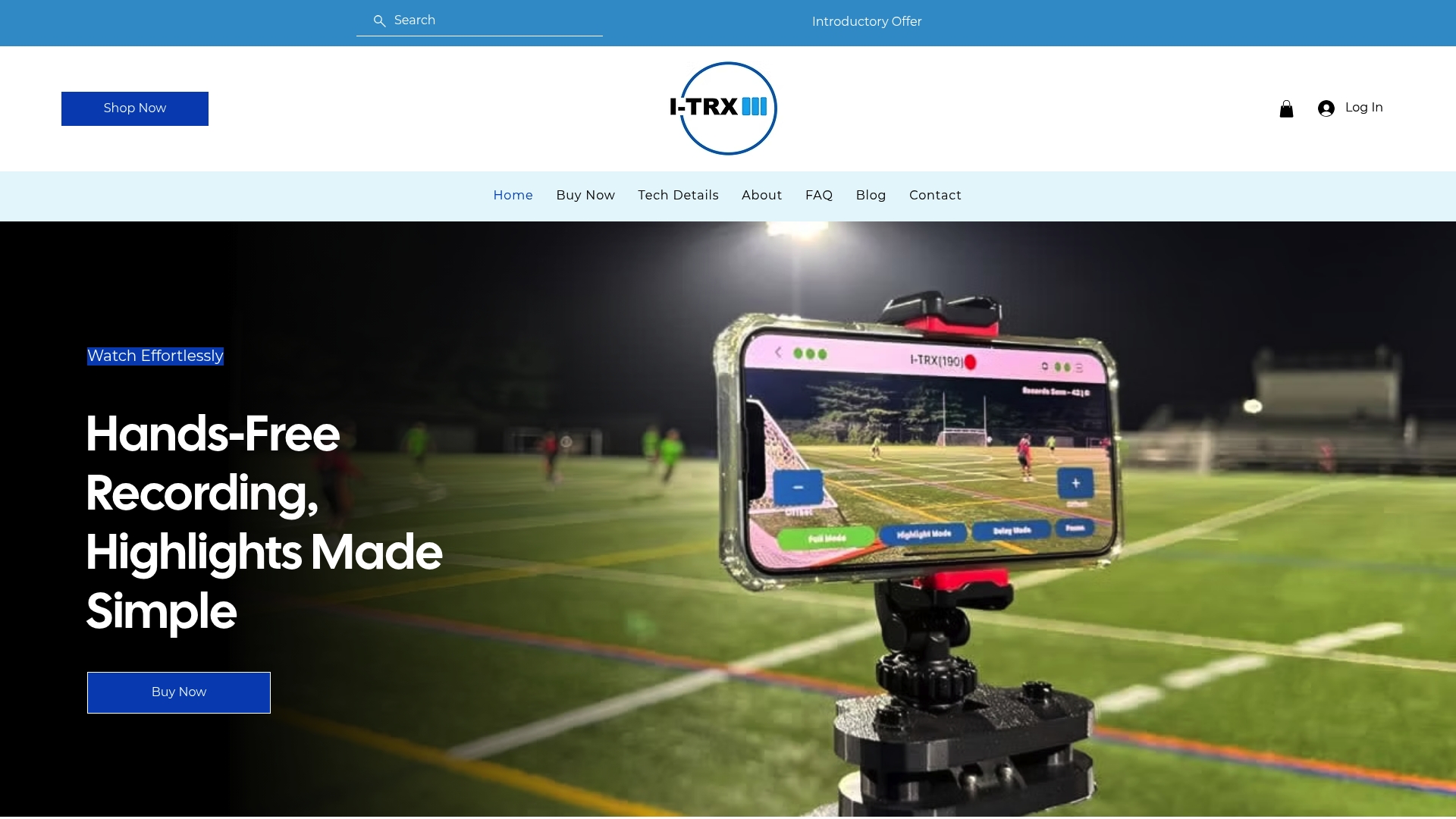
We designed the system around one athlete. A small sensor pack worn by the player tells the camera who to follow, so the camera stays on that athlete regardless of where the ball is or how the team moves. Auto-zoom adjusts the shot as the athlete moves, and the footage records directly to your iPhone. Highlights can be saved instantly and shared right away, with no manual editing. Ultra Highlight Pro buffers past play, so a moment that just happened is not lost.
What that means for a parent: you are not choosing zoom levels or reacting to the action. You are watching your child.
When we talk with families about zoom, the conversation is rarely about numbers. It is about moments: a goal, a diving catch, a first varsity play. Those are moments no one wants to miss because they were adjusting a lens. Our view is that zoom should follow the athlete, not the other way around. That is why we built I-TRX around a wearable sensor and single-player tracking. If the camera knows exactly who it is following, auto zoom has a clear job: keep that player in a clear, well-sized frame, and keep the movement of the shot calm enough to watch. We also believe highlights should be easy. Video saves to your iPhone, you can share it in real time, and there is no monthly fee. For a young athlete building a recruiting reel, that means a steady supply of clips from real games, without relying on a parent who might be juggling a younger sibling, a cooler and a folding chair. Think of it as a personal videographer you set up and forget, so you can cheer. John
Our perspective on auto zoom
Ready for hands-free game video
The I-TRX Automated Player Tracking Camera is a one-time purchase of $849, with no monthly fees. It includes the camera system, the player sensor pack and bundled app access, and it is built for outdoor youth sports. You can see the details on the pricing page, look at the tech details, or, if your athlete plays soccer, see the soccer recording camera page.
For a parent, that is a season of games recorded without a tripod to adjust or a zoom to manage. For a coach or organization, it is clear single-player footage for assessments. For a young athlete, it is the raw material for a recruiting video that shows real play.
FAQ
Can I set auto zoom speed myself?
That depends on the camera, and many systems keep the settings simple on purpose. For parents, the more useful question is whether the footage looks smooth in a warm-up test. If your athlete stays centered and the frame does not pulse, the zoom behavior is doing its job.
Why does my camera keep zooming in and out?
Usually the system is reacting to every small change in movement. Smoothing reduces that: research on sports zoom describes smoothing to cut jumping frames and zoom effects. A tracker locked onto one athlete gives the zoom a steadier target than one chasing the ball or the crowd.
Is a tighter zoom always better for highlights?
No. A tight frame shows your athlete clearly, but a bit of context shows the play. The best highlight reels mix close shots of technique with enough surrounding space that a coach or recruiter understands what happened.
Does I-TRX need a monthly subscription?
No. The system is a one-time purchase of $849, and app access is bundled. There are no ongoing subscription fees.
Where should I use the system?
I-TRX is designed for outdoor youth sports. It records to your iPhone, in either full game or session mode, or a delayed solo recording mode.
Sources
Comments