
NCAA Recruiting Video Rules: What Parents and Athletes Should Know

The NCAA’s rules cover when and how college coaches may contact your athlete. They do not turn your highlight video into a form to fill out. So the practical job is to know the contact calendar, then build a clean, short, well-filmed video that is ready when a coach looks. For a parent who is also the camera operator, the hard part is usually the footage. Our I-TRX camera is built to follow one athlete automatically, so you can watch the game and still end up with usable clips.
Below: what the NCAA rules actually govern, how timing differs by division and sport, what coaches say they want, and how to get the footage without missing your child’s season.
What the NCAA rules cover, and what they leave to you
The NCAA’s recruiting page explains that its rules determine when and how college coaches may communicate with students and families. Those rules vary by division and grade level, and recruiting calendars vary by sport and division. The same page notes that exposure through film can matter in recruiting, alongside academics.
That tells you where the rules sit. They govern the coach’s side of the conversation: when a coach may send materials, call, text or visit. A video you make is your own marketing, and its quality is what separates a clip that gets watched from one that gets skipped.
In plain terms:
Contact rules are set by the NCAA and differ by division, sport and grade.
Video quality, length and content are up to you, guided by what coaches in your sport say helps them evaluate.
Your sport’s calendar may add its own dates, so check the sport-specific page for your athlete’s sport.
Coaches also use video themselves. The University of Toledo’s athletics compliance manual, revised March 13, 2026, states that coaches may use audiovisual materials in recruiting. Video is an ordinary part of how programs recruit.
When coaches can reach out: the timing that matters
Timing is the rule families ask about most. Under the NCAA’s legislative database, an institution may not provide recruiting materials, including general correspondence related to athletics, or send electronic correspondence to a prospect or the prospect’s family until June 15 at the end of the prospect’s sophomore year (bylaw text as of August 30, 2025). That is a limit on what coaches send you. It does not stop your athlete from preparing a video and having it ready.
SwimSwam reported that for the high school class of 2028, June 15, 2026 marked the start of Division I and II recruiting communications, while Division III coaches are not bound by that same date. It added that sport-specific calendars still apply.
What to do with that:
Freshman and sophomore years: build your footage library. Film regular games and sessions so you have material when the window opens.
Around June 15 after sophomore year: have a short, clean highlight video ready. Division I and II coaches can begin communicating around this point, depending on the sport.
Junior year and beyond: update the video as the athlete improves.
Because rules change and differ by sport, confirm the current calendar for your athlete’s sport and division on the NCAA’s recruiting resources before you plan outreach. The NCAA’s rules database for 2026–27 is the primary source for divisional bylaws.
How you can send video to coaches
The NCAA says contact can include calls, texts, emails and social-media messages, but which methods are available depends on the sport and division rules, per its recruiting page. Email with a link is the most common route for a highlight video.
The NCAA’s 2025–26 Guide for College-Bound Student-Athletes advises athletes who email coaches to include their name, position, NCAA ID and high school graduation year along with their highlight videos. Put those details at the top of every message so the coach knows who you are before pressing play.
A simple email might include:
Name, graduation year and position
NCAA ID (from the NCAA Eligibility Center account)
A single link to the highlight video
A link to a full game, if you have one
Club and high school team, plus a coach’s contact
We go deeper on the practical details of links and messages in our guide on sending a highlight video to coaches.
What coaches want to see in the video
Coaches in different sports describe the same basics. Thomas McMenemy, University of Michigan men’s soccer coach, advised athletes in a 2aDays interview to show all elements of their game, use quality footage, keep a highlight tape to a manageable three or four minutes, and update it at least at the end of every season. He also said a quality video sent by email is a strong way to get on his radar, unless he has already identified the athlete in person.
Turn that into a checklist:
Lead with your best plays. A coach may stop early, so the first clips carry the video.
Show a range. Include the different skills your position requires, not the same play repeated.
Make the athlete easy to find. A coach should never wonder which player to watch. A title card with jersey number and color, or a marker on the first clip, helps.
Use footage that is steady and close enough to read. A wide shot from far up the sideline makes everyone look small.
Keep it short. Three to four minutes, and fresher is better.
Update each season. New footage shows growth.
For a position-specific look, see what coaches want in a quarterback recruiting video, what makes a lacrosse highlight video get watched, or what to include in a lacrosse goalie recruiting video. Our highlight video checklist and recruiting video format guide cover ordering and length.
A video is one piece of a longer evaluation
USA Volleyball’s college recruitment timeline says coaches may evaluate a recruit through live events or an online highlight video and streamed matches, looking at athleticism, physicality, personality, character and leadership as part of an ongoing process over multiple years.

That is useful for parents in any sport. One clip does not make or break a recruitment. What helps is a steady stream of good footage: this season’s highlights, a few full games, and an up-to-date video whenever a coach asks. Families who film consistently have an easy answer when a coach says, “Can you send me more?”
Why the footage is the hard part
Most parents have been there. You hold your phone or a tripod for ninety minutes, miss your child’s best play because you looked away, and end up with a shaky clip of the wrong end of the field. Manual filming makes you choose between watching and recording.
Wide-angle footage that follows the whole team creates another problem: your athlete is a small figure somewhere in the crowd, and you have to scrub through to find the plays. Coaches should not have to hunt.
Single-player tracking addresses both. The camera follows one athlete, so the footage is already about them.
How I-TRX handles the filming
I-TRX is an automated tracking camera system for outdoor youth sports. Your athlete wears a small sensor pack, and the camera tracks and records that one player automatically. We built it so the camera follows the athlete regardless of where the ball goes or how the team moves, using AI to zoom in on the action. Here is how that fits the recruiting routine:
Set up and play. Start recording, then watch the game and cheer. There is nothing to operate during play.
Capture the whole session. I-TRX has full game and session recording, plus a delayed solo recording mode for individual training.
Save highlights instantly. Highlights go directly to your iPhone. Our Ultra Highlight Pro feature buffers past play, so a great moment you just saw is not lost.
Share. You can share from your iPhone in real time, with no manual editing needed to pull a clip.
Build the video. Put your best clips first, add a title card and send the link to coaches.
The result is footage centered on one athlete, which is what a recruiting video needs. You can see more on our recruiting videos page, and our article on filming time and recruiting video requirements covers how this fits the U.S. process. Details on the sensor and tracking are on the tech details page, and the soccer recording camera page shows how it works for that sport.
A season plan for recruiting video
Use the calendar and the footage together:
Stage | What to do | Footage goal |
Freshman year | Record regular games and practices | Build a library, learn what the camera captures |
Sophomore year | Pick best clips, draft a first highlight video | A short video ready near June 15 |
Junior year | Update after each season, send to coaches of interest | 3 to 4 minutes, plus one full game |
Senior year | Refresh with recent games | Current footage and a clear contact path |
The point is to treat filming as a habit, not a scramble. When the camera does the following, you keep the habit without giving up the game.
Perspective: why one-athlete footage serves recruiting
We built I-TRX around a simple observation: a recruiting video is about one player, yet most game footage is about everybody. When the camera locks on to a sensor worn by your athlete, the video is already organized around the person a coach is trying to evaluate. We also think parents deserve to enjoy the game. Our approach is “set it and forget it”: the camera follows your child, saves highlights to your iPhone, and keeps buffering past play so the moment you cheered for is still there. There is no monthly fee, so the footage you collect over several seasons does not come with a recurring bill. The NCAA’s rules decide when coaches can contact your family. What you control is how ready you are when they do. A library of clear, close, single-player footage means a short video is an afternoon of selecting clips, not a season of regret. John
Get the footage without missing the game
The I-TRX Automated Player Tracking Camera is $849, a one-time purchase with no monthly fees, and it includes the camera system, the sensor pack and app access. It records one athlete to your iPhone, with auto-zoom and instant highlight saving. See the full details on our pricing page.
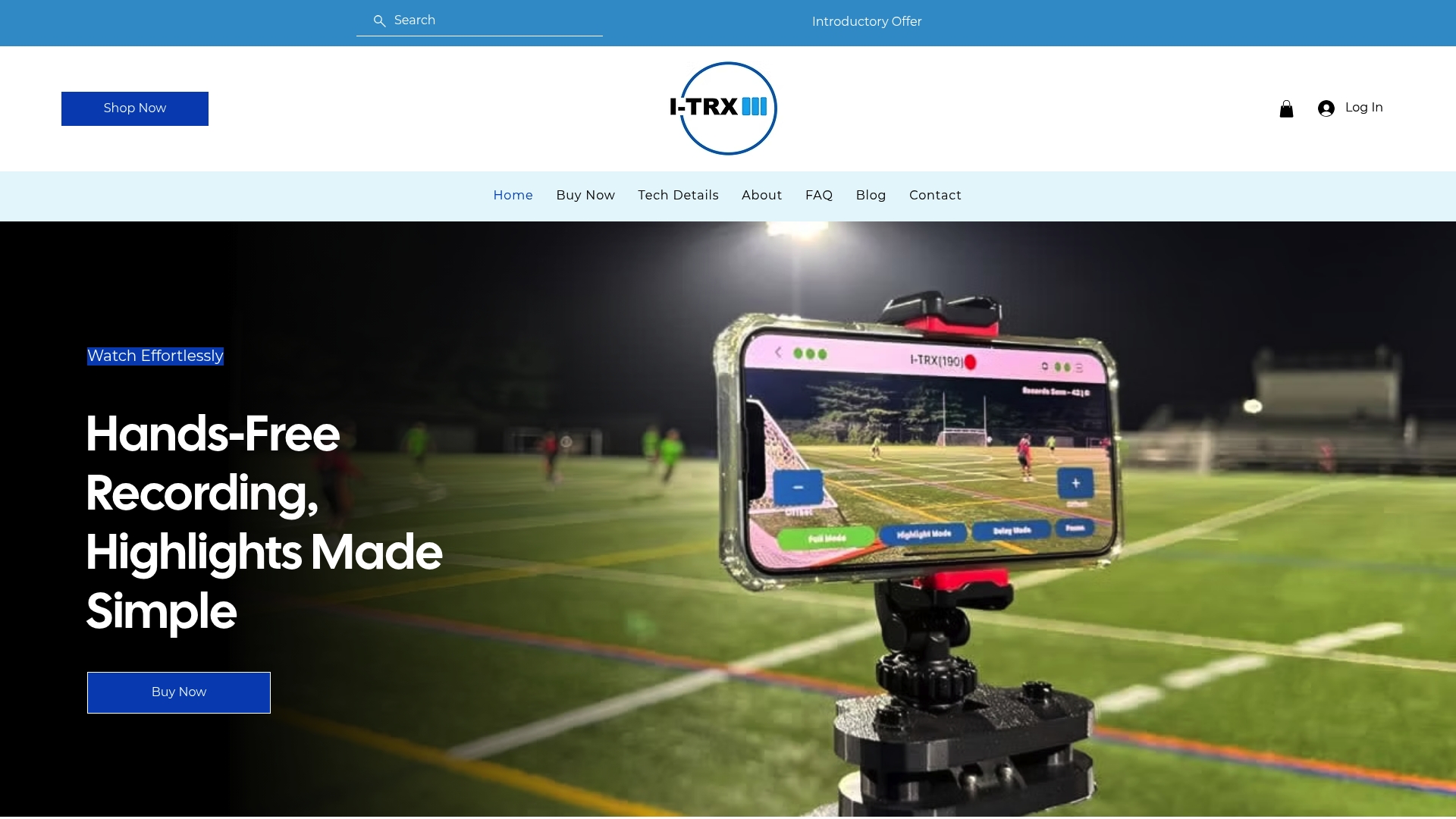
If you are comparing it with other camera types, our comparison page lays out the differences, and you can start from our home page for an overview.
FAQ
Does the NCAA set rules for what a recruiting video must look like?
The NCAA’s published recruiting rules focus on when and how coaches may communicate with prospects, and they vary by division, sport and grade level. Length and content are guided by what coaches advise, such as keeping a highlight video to about three or four minutes. Check your sport’s recruiting calendar for dates.
When can college coaches start contacting my athlete?
For many sports, Division I and II coaches may begin sending recruiting materials and electronic messages on June 15 at the end of the athlete’s sophomore year, according to the NCAA’s legislative database. Division III is not tied to that date, and sport-specific calendars still apply.
Can my athlete send a highlight video to a coach before that date?
The NCAA’s bylaw quoted above limits what the institution sends to a prospect. Contact methods and timing for the athlete’s own outreach differ by sport and division, so confirm the rules for your sport on the NCAA recruiting page before you email.
What should I put in an email with a video link?
The NCAA’s 2025–26 guide advises including your name, position, NCAA ID and high school graduation year with your highlight videos. Add the team name and one link to the video, and keep the message short.
How often should we update the video?
A coach quoted by 2aDays advises updating at least at the end of each season. Filming every game gives you fresh clips to swap in whenever the athlete improves.
Sources
Comments