
Wearable Sensor Safety for Youth Athletes: A Parent's Guide

A wearable sensor is safe for a young athlete when it fits well, stays secure under the uniform, suits the sport, and when the adults around it know what it can and cannot tell them. That comes down to five checks: skin comfort, fit and placement, heat and electronics, what the sensor claims to measure, and who sees your child’s data. This guide walks through each one in plain terms, so you can use a sensor, such as the player sensor that makes I-TRX’s tracking camera follow one athlete, and still enjoy the game from the sideline.
What “wearable sensor safety” means for a youth athlete
The phrase covers two very different jobs. Some sensors are health monitors: heart rate, body temperature, head impact. Others are position or tracking sensors, which exist so a device knows where a player is. The safety questions overlap (what touches the skin, how it is attached, where the data goes), but the risks differ.
For a parent, the useful way to sort it is by what the sensor does to your child and what it does with your child’s information:
Physical contact: skin, comfort, weight, placement, heat.
Interpretation: what the numbers or lights can and cannot tell you.
Data: who collects it, who can see it, and how it is protected.
Each gets its own section below, followed by a short checklist you can use before the first game of the season.
Skin comfort: the most common issue
Anything worn against a child’s skin for an hour or two of running and sweating faces friction and moisture. The U.S. Consumer Product Safety Commission’s report on wearables notes that devices worn directly on the skin for long periods can release materials during sweating and rubbing, causing irritation, rashes or allergic reactions. The same report also points to dermal exposure over a product’s life, because prolonged contact, friction and washing can wear down materials.
What that means in practice:
Check the skin under and around the strap or clip after the first few sessions. Redness that does not fade within a short time is a reason to stop wearing it that day.
Wipe the sensor and any strap or pouch after use so sweat does not sit against the skin.
If your child has known skin sensitivities or allergies, ask your pediatrician before adding a new item that touches skin for long stretches.
Keep the wear time to what the activity needs. A sensor that only has to be on during the game does not need to be on in the car.
Children also tell you things adults miss. A CDC feasibility study of pre-adolescent children found that 16 of 23 kids ranked one armband-style monitor as their least favorite, and 12 of those 16 cited discomfort. Poor fit, beeping and vibration were all part of the picture. The study’s takeaway is simple and worth repeating: comfort and proper fit decide whether kids will keep wearing a device at all. Ask your child, after each session, whether they noticed it. If they did, adjust it.
Fit and placement: keep it secure and out of the way of contact
A sensor that shifts, bounces or digs in is a nuisance at best. Placement matters more in sports with falls and collisions. Testing guidance written for professional soccer notes that a device mounted on a player’s upper back can cause injury in a backward fall, from bruising to laceration or even fracture, which is why an impact test was developed for those devices. That is a point about hard devices on the upper back, and it shows why where a sensor sits deserves a moment of thought.
For school and club play, the National Federation of State High School Associations (NFHS) sets a clear standard in its statement on medical devices. A device worn during competition should be padded and securely attached under the uniform, and must not pose a risk of injury to the athlete, teammates or opponents. The head coach notifies the official before the contest, and the official can disallow a device they judge unsafe. That statement is written for medical devices, but its logic is a good rule for any gear a child wears onto the field.
A quick fit routine:
Put the sensor on the way your child will wear it in the game, not loosely for a photo.
Have them jog, twist and drop into a squat. Nothing should slide, rub or poke.
Check that nothing hard sits where another player’s cleat, elbow or the ground is likely to meet it.
Tell the coach before the first game, and the official if the league asks.
Re-check as your child grows. A fit that worked in August may not in October.
Heat, electronics and warm-weather play
Small electronics generate some warmth. The CPSC report observes that electrical components in wearables can heat up and cause mild discomfort or burns. On a hot afternoon, the risk to your child is not only the device. It is the heat itself.
The NFHS Sports Medicine Advisory Council calls heat illness the leading preventable cause of death in high school athletes. It defines exertional heat stroke as a core body temperature above 104°F (40.0°C) together with central nervous system dysfunction, such as confusion or collapse. The same statement says it cannot endorse external heat sensors, because they do not measure core temperature accurately and can give false assurance.
The safe-use takeaway is straightforward. No wearable replaces the basics: water breaks, shade, acclimatization, and an adult who is watching your child’s behavior. If your child looks confused, stops sweating, stumbles or collapses in the heat, treat it as an emergency and call 911, whatever any device or app displays.

Heat also affects the equipment you bring. Phones and cameras that sit in direct sun can slow down or shut off, so see our guide to sports camera overheating and game-day habits for easy ways to keep your gear cool.
What a sensor can and cannot tell you
This is where well-meaning parents and coaches get tripped up. Sensors produce numbers and lights, and numbers feel authoritative. They are not always right.
The NFHS Sports Medicine Advisory Council says information from biosensors has not been adequately validated. Accelerometer-based concussion sensors can trigger without a concussion, and can stay silent when one has happened. Under NFHS rules, a flashing light or app alert on a helmet, headband, chin strap or phone is not a sign or symptom of a concussion. The reverse matters just as much: a sensor that stays quiet does not mean a player is fine.
If a player shows symptoms such as headache, dizziness, confusion or nausea after a hit, remove them from play and have a health care professional evaluate them. That decision rests on what you see and what your child says.
The broader research points the same way for consumer activity metrics:
A 2022 review of wearable activity trackers found inconsistent validity and reliability across metrics, with algorithms often not public, and advised caution when interpreting them.
A 2021 study of high school pitchers found a baseball motion sensor was not accurate for arm slot, elbow torque or shoulder rotation compared with lab motion capture, though it was relatively accurate for arm speed.
A 2025 study comparing a smartwatch and a shoe-mounted sensor found poor agreement on stride length and ground contact time, while average cadence was acceptable.
Even everyday step counting varies by device, as this look at Apple Watch step accuracy shows. The practical rule: use health and performance numbers as one input, compare like with like (same device, same placement), and never let a number outweigh how your child looks and feels.
A tracking sensor has a narrower job. The sensor on your player exists to tell a camera where that player is, so the footage follows them. You judge that by looking at the video. Did the shot stay on your child? That is a result you can see for yourself on the sideline or at home, with no medical interpretation involved.
Your child’s data: privacy basics for parents
Video of a child is personal information too. In a 2025 federal court order, the FTC defined a child’s personal information to include geolocation precise enough to identify a street and city, and photos, videos or audio containing the child’s image or voice, and required verifiable parental consent before collecting it from children. Under the Children’s Online Privacy Protection Act (COPPA), companies must obtain verifiable parental consent before collecting data from children under 13. Some states add rules for biometric and health data, including Illinois and Washington.
You are the gatekeeper for your own child’s footage and data. Some habits protect it:
Know where the video lives. Footage that saves straight to your own phone stays in your hands until you decide to share it.
Share on purpose. Send clips to grandparents, coaches or recruiters directly rather than posting publicly. Children on the field are also other families’ children, so see our note on zooming in and respecting consent.
Know the filming rules. Leagues, schools and venues can have their own rules about recording; our overview of how to film youth sports legally covers the main ones.
Keep Bluetooth devices updated. A Tufts review of sports wearables warned that unencrypted Bluetooth data can be sniffed and recommended researching a vendor’s security practices before buying.
A good model for how careful programs handle this: a 2025 Johns Hopkins-led study of adolescent athletes using consumer wearables disabled GPS by default, deidentified the data, used a HIPAA-compliant transfer and collected written consent from both athletes and their legal representatives. You do not need that level of paperwork for a family highlight video, but the instincts carry over: collect only what you need, and be clear on who agrees.
A pre-season checklist for parents, coaches and organizations
The NCAA’s June 2023 statement on performance technologies advises schools to weigh purpose, consent, data access and privacy, and unintended social, behavioral and mental impacts before adopting a tool, and to put written policies in front of athletes, coaches and sports medicine staff. Its recommendations also call for assessing device quality, and for settling who owns the data, where it is stored and who may access it. Scaled down for youth sports, that becomes a short list.
Check | Parent | Coach or club |
Purpose | Why does my child wear this? Highlights, not health claims. | Write down what the technology is for, and what it is not for. |
Skin | Look at the skin after each session. | Tell families to report irritation. |
Fit and placement | Test with a jog and a squat. | Confirm nothing hard sits where contact happens. |
Heat | Plan water, shade and breaks. | Keep heat safety rules separate from any device readout. |
Data | Know where video is saved and who gets it. | Decide who may film, store and share. |
Review | Re-check as your child grows. | Revisit the policy each season. |
The NCAA also frames performance technology as one tool among many whose usefulness depends on how well it meets user needs, which is why it favors continuous review over one-time approval. A family can do the same with a ten-minute check at the start of each season.
Why a tracking sensor fits this approach

The safest sensor routine is a simple one. You want the least gear on your child, the fewest decisions on game day and the most control over where the footage goes. Our approach to single-player tracking is built around that idea: a small sensor pack worn by the player tells the camera where to point, and the video is saved to your iPhone. You stay free to watch your child play instead of fiddling with a camera or a tripod, and the person who decides who sees the clip is you.
For coaches and organizations, clear footage of one player at a time makes it easier to talk through technique and progress without turning every practice into a data project. If you are weighing how video fits a coaching program, our piece on why coaches should use technology to track athlete progress is a good next read, and for athletes building recruiting material, see how to turn footage into 3 to 5 minute reels.
We build I-TRX for parents who want to be in the moment. When a sensor goes on a child, we think the right questions are simple ones. Is it comfortable? Does it stay put? Does it do one clear job? With I-TRX the job is to lock the camera onto your player, so you get the zoomed-in shot without asking another parent to hold a phone or learning to operate a camera yourself. We also believe a sports sensor should never ask a family to take on medical decisions. Heat, head impacts and illness are things you judge by watching your child, with a coach and a doctor beside you. Our tracking sensor is there for the video, and your attention stays on the field. Our camera system saves highlights to your iPhone, has no monthly fees, and is designed so the whole game is about your athlete. That is what we mean by a personal videographer you set and forget. John
Our perspective on wearable sensor safety
Get the highlights without the gear headache
The I-TRX Automated Player Tracking Camera pairs a wearable player sensor with AI tracking and records single-player highlight videos directly to your iPhone, with instant highlight saving, auto-zoom and real-time sharing. It is a one-time purchase of $849, with no monthly fees.
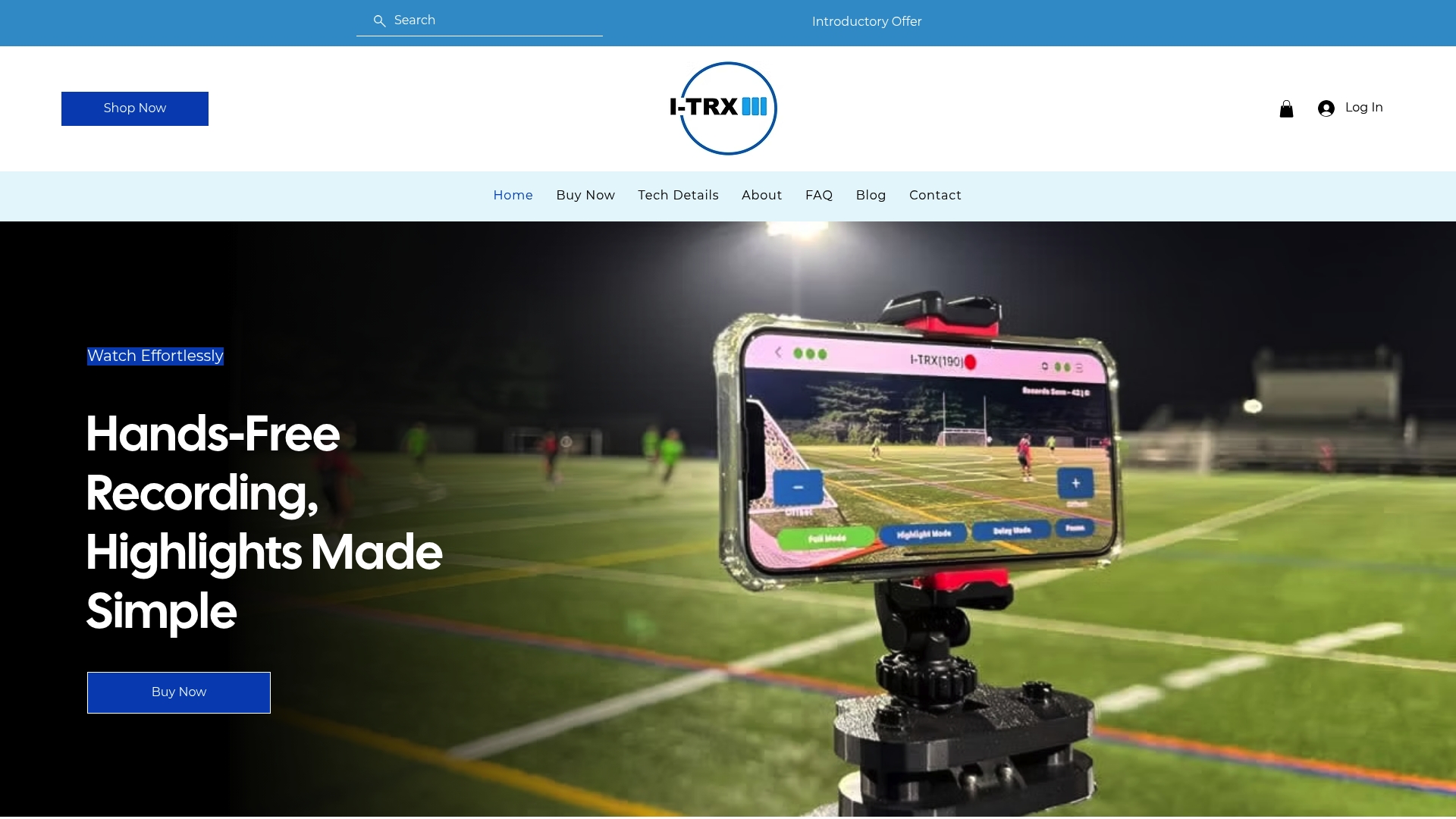
It works for full game or session recording and for delayed solo recording, and it is built for outdoor youth sports. If you play soccer, our soccer recording camera page shows how it follows your player, and the tech details page explains how the system works before you order.
Frequently asked questions
Is it safe for a child to wear a sensor during a game?
Generally yes, when it fits well, is secured under the uniform, does not pose a risk to other players, and your league allows it. Check the skin after each session and tell the coach before the first game. If the sensor is uncomfortable, adjust it before the next session.
Can a wearable sensor tell me if my child has a concussion or heat illness?
No. The NFHS says concussion indicators produce both false alarms and misses, and that a light or app alert is not a sign or symptom of concussion. If your child shows symptoms, remove them from play and seek medical care, and call 911 for suspected heat stroke.
What should I do if my child gets a rash from a sensor?
Stop using it that day, clean the area, and let the skin settle. The CPSC lists irritation, rashes and allergic reactions as known concerns with skin-worn products. If redness persists, spreads or blisters, see your pediatrician.
Who can see my child’s game video?
That depends on the product and on you. Keep clips on your own phone and share them directly with family, coaches or recruiters. Under COPPA, companies must obtain verifiable parental consent before collecting data from children under 13.
Do I need to tell the coach or the league?
It is a good habit. The NFHS asks head coaches to notify officials about devices worn in competition, and some leagues have their own recording rules. A quick message before the first game avoids surprises.
Sources
Comments